
Tech
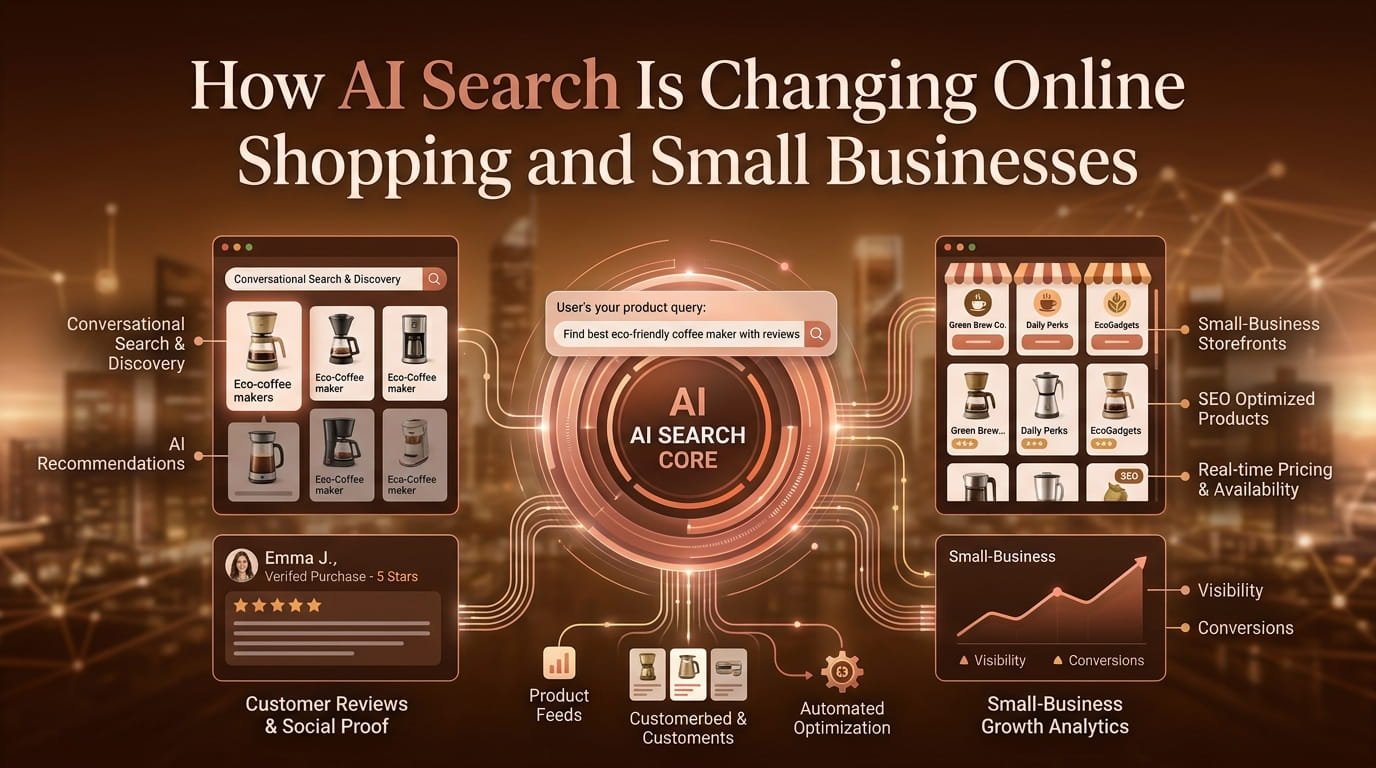
How AI Search Is Changing Online Shopping and Small Businesses









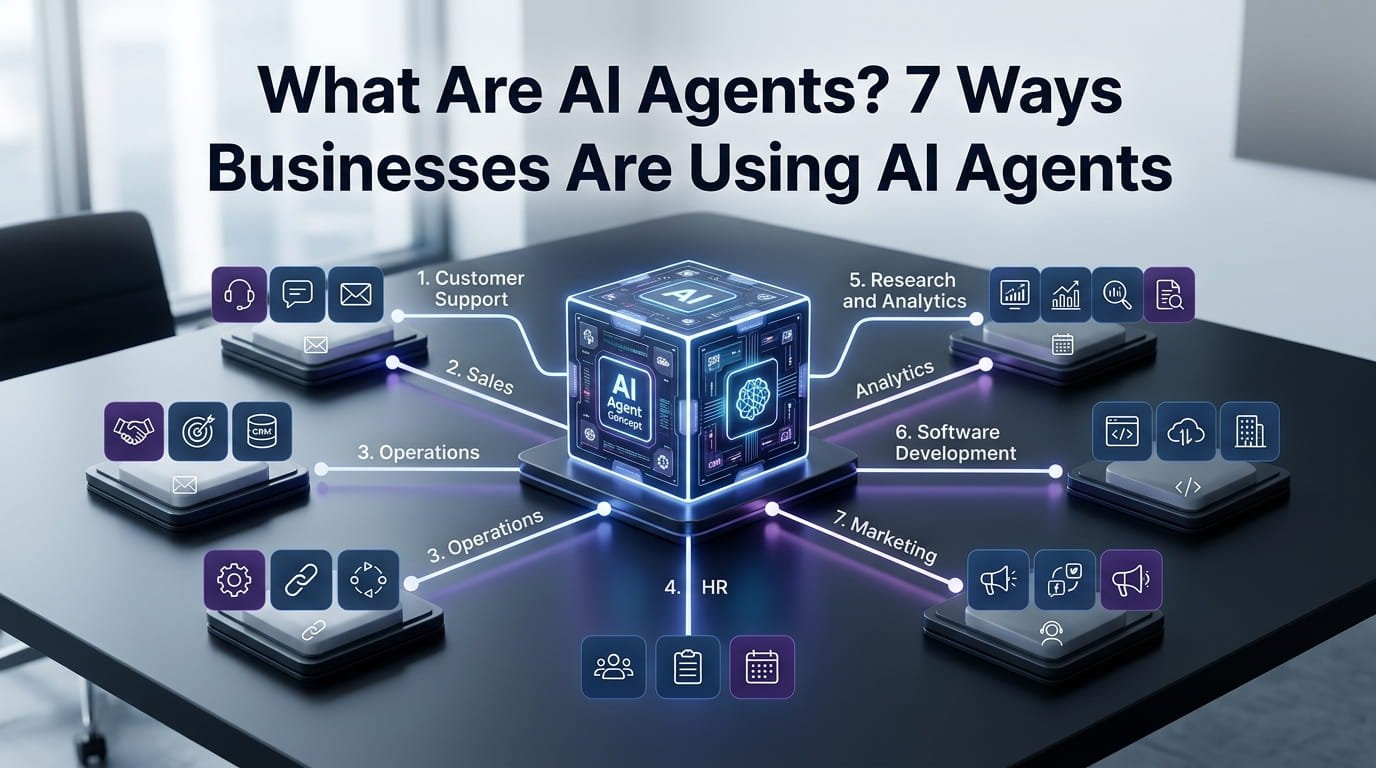
AI agents are changing how businesses use artificial intelligence. Instead of simply answering a question, an agent can interpret a goal, decide what needs to happen next, use connected tools, retrieve information, and complete multiple steps with limited human intervention.
That distinction matters. A traditional chatbot might tell a customer how to request a refund. An AI agent could potentially check the order, verify the refund conditions, create the required request, update the relevant system, and tell the customer what happened.
As businesses move from experimenting with generative AI toward practical automation, AI agents are becoming increasingly relevant. Microsoft describes agents as systems that can retrieve information, perform tasks, and support specialized business roles, while IBM describes them as systems capable of planning and executing workflows using available tools.
So, what exactly are AI agents, how do they work, and where can a business actually use them?
This guide explains the technology in practical terms and covers seven high-value business applications without treating AI agents as magic replacements for human workers.
What Are AI Agents?
AI agents are software systems that can pursue a defined objective by deciding and carrying out a sequence of actions.
A large language model can generate text. An AI agent can use a model as part of a broader system that also has instructions, tools, data access, memory or context, decision-making logic, and the ability to take actions.
IBM defines an AI agent as a system that can autonomously perform tasks by designing workflows with available tools. In business environments, that can mean connecting an AI model to databases, applications, APIs, knowledge bases, or other software.
The simplest way to understand the difference is this:
Traditional AI: “Here is an answer.”
AI assistant: “Here is an answer and some help with the task.”
AI agent: “I understand the goal, determine the steps, use the appropriate tools, and work toward completing the task.”
That does not mean every agent operates completely independently. In fact, responsible business deployments often include approvals, permissions, monitoring, and human escalation.
The important change is that AI can move from generating information to participating in a workflow.
How Do AI Agents Work?
Although implementations vary considerably, most business AI agents combine several components.
1. A goal or instruction
The agent needs to know what outcome it should pursue.
For example:
“Review new support requests, identify routine issues, resolve eligible cases, and escalate unusual cases.”
That is very different from asking an AI model to write a generic customer-service response.
2. An AI model
The underlying model interprets language, reasons about available information, and helps determine what should happen next.
Large language models often provide the reasoning and language capabilities, although an agentic system can combine several AI technologies.
3. Tools
Tools allow an agent to interact with the outside world.
Depending on the system, those tools might include:
- CRM databases
- Calendars
- Accounting software
- Customer-support platforms
- Search systems
- Internal knowledge bases
- Inventory systems
- APIs
- Code repositories
- Analytics platforms
OpenAI’s current API platform, for example, supports agent workflows using the Responses API and Agents SDK, with tools such as web search, file search, and remote MCP servers for grounding and external actions.
4. Context and memory
An agent needs relevant information to make useful decisions.
That context might come from a customer’s previous interactions, a company’s internal documentation, a current order, or information retrieved from another application.
5. Actions
The biggest difference from a basic chatbot is the ability to act.
An agent might:
- Create a support ticket
- Update a CRM record
- Schedule a meeting
- Retrieve a report
- Send a draft for approval
- Search company documentation
- Run a software test
- Route a request
- Trigger another workflow
6. Guardrails
Businesses cannot simply give an AI unrestricted access to everything.
A serious implementation should define what the agent can access, what it can change, what requires approval, and when a human must take over.
That becomes especially important when an agent handles financial transactions, confidential information, customer accounts, employment decisions, or other sensitive processes.
AI Agents vs. Chatbots: What’s the Difference?
The terms often appear together, but they describe different levels of capability.
| Capability | Traditional Chatbot | AI Assistant | AI Agent |
|---|---|---|---|
| Answers questions | Yes | Yes | Yes |
| Understands natural language | Limited to strong | Strong | Strong |
| Uses business data | Sometimes | Often | Often |
| Plans multiple steps | Limited | Some | Strong |
| Uses external tools | Limited | Some | Core capability |
| Takes actions | Limited | Sometimes | Yes |
| Works across systems | Rarely | Sometimes | Common |
| Human approval | Usually | Sometimes | Often recommended |
| Handles complex workflows | Limited | Moderate | Strong |
The distinction is not absolute. Some products called “chatbots” now include agentic capabilities, while some AI agents still require a person to approve important actions.
Therefore, the useful question is not simply whether a product calls itself an AI agent.
The better question is:
What can the system actually do?
7 Ways Businesses Are Using AI Agents
Businesses are adopting AI agents for workflows where employees spend substantial time gathering information, making routine decisions, moving information between systems, or completing repetitive actions.
Here are seven particularly practical applications.
1. AI Agents for Customer Support
Customer service is one of the clearest applications for AI agents because many support requests follow recognizable workflows.
A basic chatbot might answer:
“Where is my order?”
An agent can potentially do much more. It can retrieve the customer’s order, check shipping information, compare the current status with expected delivery dates, explain the result, and escalate the case if something appears unusual.
Modern agentic customer-service systems can connect knowledge bases, customer records, and support systems to resolve routine requests or prepare them for human representatives. IBM identifies customer experience and support as major agentic AI use cases, while Microsoft highlights agents that can retrieve information and perform tasks across organizational systems.
Common customer-support tasks
AI agents can assist with:
- Order-status questions
- Appointment changes
- Product information
- Password and account-support workflows
- Ticket classification
- Refund requests
- FAQ resolution
- Troubleshooting
- Customer-data retrieval
- Escalation of complex cases
The real value comes from workflow completion, not simply faster text generation.
For example, an agent could recognize that a customer has a damaged product, retrieve the order, check the company’s replacement policy, collect the necessary information, and create a support case.
A human employee can then handle the exception rather than spending several minutes on routine administration.
Where human oversight matters
Businesses should be careful with automated refunds, account changes, complaints involving legal issues, and emotionally sensitive situations.
A good design lets the agent handle routine cases while sending uncertain or high-impact decisions to people.
2. AI Agents for Sales and Lead Qualification
Sales teams spend enormous amounts of time researching prospects, updating CRM records, preparing follow-ups, and deciding which opportunities deserve attention.
AI agents can take over portions of that coordination work.
For example, a sales agent could receive a new lead and:
- Identify the company.
- Retrieve relevant CRM information.
- Review previous interactions.
- Classify the lead.
- Identify missing information.
- Recommend a next action.
- Prepare personalized outreach.
- Update the CRM.
- Escalate high-value opportunities to a salesperson.
IBM describes sales agents that can support prospecting, CRM enrichment, lead qualification, and real-time insights. Microsoft similarly highlights sales qualification agents designed to help teams prioritize opportunities.
The important point is that the agent does not need to replace the salesperson.
Instead, it can remove much of the administrative work surrounding the salesperson.
Why this matters
A sales representative who spends less time cleaning CRM records has more time for:
- Customer conversations
- Negotiations
- Product demonstrations
- Relationship building
- Strategic accounts
In other words, AI agents can move sales teams toward higher-value work rather than simply increasing the number of emails they send.
3. AI Agents for Business Operations
Operations departments often contain hundreds of small processes that cross multiple systems.
Someone may need to check inventory in one application, compare it with orders in another, update a spreadsheet, notify a manager, and create a task for another department.
That type of coordination makes operations particularly suitable for agentic workflows.
IBM notes that agents can coordinate multi-system processes, monitor inventory, identify supply-chain anomalies, and support service workflows.
Practical examples
An operations agent could:
- Monitor inventory levels
- Identify unusual changes
- Track purchase orders
- Prepare daily operational reports
- Route internal requests
- Check whether tasks are overdue
- Coordinate information between departments
- Detect exceptions in routine workflows
- Prepare procurement requests
- Summarize operational performance
Consider a simple inventory scenario.
If stock falls below a defined threshold, an agent could check current orders, examine recent demand, retrieve supplier information, prepare a purchase recommendation, and send the request to an employee for approval.
The employee remains responsible for the final decision, but the preparation work happens automatically.
That distinction can make automation much safer.
4. AI Agents for HR and Employee Support
Human resources departments deal with large volumes of repetitive questions and administrative tasks.
Employees might ask about:
- Leave policies
- Benefits
- Internal procedures
- Training
- Onboarding
- Company policies
- Payroll processes
- Workplace documentation
An AI agent connected to approved internal information can retrieve relevant answers instead of forcing employees to search through long documents.
IBM’s documentation gives a practical example in which an HR agent recognizes a leave-balance request, retrieves employee information through an HR system, queries the appropriate data, and provides the result.
Microsoft also lists workforce planning, learning, and sales qualification among business-oriented agent applications.
HR use cases for AI agents
Businesses can use agents for:
- Employee onboarding
- Policy questions
- Interview scheduling
- Training recommendations
- HR document retrieval
- Candidate communication
- Recruiting administration
- Internal HR help desks
However, HR requires strong safeguards.
Businesses should not blindly delegate sensitive employment decisions to an AI system. Hiring, promotion, disciplinary matters, compensation, and other high-impact decisions require careful governance, legal review, and meaningful human oversight.
The safest approach often starts with administrative assistance rather than autonomous decision-making.
5. AI Agents for Research and Data Analysis
Employees regularly spend hours collecting information before they can make a decision.
An agent can potentially turn that process into a structured workflow.
Suppose a marketing manager wants a weekly competitor report.
Instead of manually searching several sources, copying information, organizing it, and writing a summary, a research agent could gather approved information, organize the findings, identify relevant changes, and prepare a report for human review.
OpenAI lists research and data analysis among agent-oriented applications, while IBM describes agents that can continuously analyze information and produce narrative summaries of complex data.
Research agents can help with
- Market research
- Competitor monitoring
- Internal data analysis
- Report preparation
- Document comparison
- Research summaries
- Trend monitoring
- Data-quality checks
- Information retrieval
- Executive briefings
Yet there is an important limitation.
An agent can process information quickly without necessarily making every conclusion correct.
Therefore, businesses should distinguish between:
Data collection → analysis → recommendation → final decision
The first two stages can often support significant automation. The final decision may still belong to a qualified employee.
6. AI Agents for IT and Software Development
Software development has become another major area for agentic AI.
Instead of simply suggesting a line of code, an AI coding agent can potentially inspect a repository, understand a task, identify relevant files, modify code, run tests, analyze failures, and revise the implementation.
IBM describes software-development agents being used for code generation, testing, bug fixing, documentation, upgrades, and migrations.
OpenAI similarly lists coding workflows involving writing, reviewing, debugging, refactoring, and migrating code.
Practical software-development workflows
AI agents can assist with:
- Bug investigation
- Test generation
- Code refactoring
- Documentation
- Dependency upgrades
- Code review preparation
- Migration work
- Repository exploration
- Test execution
- Issue analysis
This does not eliminate the need for developers.
Instead, it changes the developer’s role from manually completing every small task toward directing, reviewing, testing, and validating larger workflows.
That distinction becomes critical when an agent has permission to modify production systems.
A sensible deployment uses isolated environments, automated tests, permission controls, code review, and approval requirements before important changes reach production.
7. AI Agents for Marketing and Content Workflows
Marketing teams have another large collection of repetitive processes.
Content planning, campaign research, customer segmentation, reporting, social-media preparation, and performance analysis can all involve repeated steps across multiple applications.
An AI agent can coordinate some of those activities.
For example, a marketing workflow could start with a campaign brief. The agent could research approved sources, organize audience information, prepare content ideas, draft assets, create a reporting structure, and send everything to a human marketer for review.
Microsoft identifies marketing as an important AI use-case category covering insights, campaigns, content, and personalization.
Marketing agent examples
Businesses can use AI agents to help with:
- Campaign research
- Content briefs
- Audience analysis
- Email preparation
- Social-media workflows
- Performance summaries
- Lead nurturing
- Competitor monitoring
- Content repurposing
- Marketing reports
However, automation should not become an excuse for publishing unchecked AI-generated material.
Strong marketing still requires original thinking, factual verification, brand judgment, audience understanding, and editorial review.
The agent should accelerate the workflow, not remove responsibility for the final output.
What Makes AI Agents Valuable to Businesses?
The biggest advantage is not simply that an agent can produce information quickly.
The bigger opportunity comes from connecting intelligence with action.
A normal AI interaction might look like:
Question → AI answer
An agentic workflow looks more like:
Goal → understand context → retrieve information → plan → use tools → take action → verify → escalate if necessary
That extra capability can produce value in several ways.
Less repetitive work
Employees can spend less time moving information between systems.
Faster response times
An agent can operate continuously instead of waiting for an employee to begin every workflow manually.
Better workflow consistency
A properly designed agent can follow defined procedures repeatedly.
More scalable operations
A business may handle a larger volume of routine requests without increasing administrative workload at the same rate.
Better access to information
Employees can interact with internal systems using natural language rather than learning every interface.
Microsoft’s 2026 Work Trend Index describes the broader shift as agents taking on more execution while humans retain greater room to direct work, make decisions, and own outcomes.
That is arguably the most useful way to think about business AI agents: execution support rather than simple content generation.
Where Should a Small Business Start With AI Agents?
Small businesses do not need to build a complicated multi-agent system on day one.
In fact, starting small is usually more sensible.
Look for a workflow that has four characteristics:
- It happens frequently.
- It follows a reasonably predictable process.
- It requires information from accessible systems.
- Its results can be measured.
For example, customer-support ticket classification may be a better first project than an autonomous financial agent.
Similarly, automatically preparing a weekly report may be safer than giving an agent permission to make purchases.
A practical starting framework
Step 1: Map the workflow
Write down what employees actually do from beginning to end.
Step 2: Identify repetitive steps
Look for information retrieval, classification, summarization, routing, and routine updates.
Step 3: Separate decisions from actions
Ask which steps require judgment and which steps follow clear rules.
Step 4: Start with limited permissions
Give the agent access only to the systems and actions it genuinely needs.
Step 5: Add human approval
Require approval for expensive, irreversible, sensitive, or high-impact actions.
Step 6: Measure the results
Track time saved, error rates, resolution times, costs, customer satisfaction, or another meaningful business metric.
Step 7: Expand gradually
Once the workflow performs reliably, consider giving the agent additional responsibilities.
Microsoft’s guidance for business AI emphasizes measurable outcomes such as time savings, turnaround time, cost per task, pipeline activity, and customer experience.
What Are the Risks of AI Agents?
The same autonomy that makes AI agents useful also creates risks.
An AI model can misunderstand a request. A connected tool can return incorrect or incomplete data. An agent can potentially take an inappropriate action if its instructions or permissions are poorly designed.
Businesses should therefore consider several risks.
Incorrect decisions
AI agents can make reasoning errors or act on incomplete information.
Data security
An agent may interact with sensitive company or customer data. Access must follow appropriate security controls.
Excessive permissions
Giving an agent permission to modify everything is an unnecessary risk.
Unclear accountability
Someone must remain responsible for important outcomes.
Prompt injection and malicious input
Agents that process external content can encounter instructions designed to manipulate their behavior.
Hallucinations
AI systems can generate information that sounds convincing but lacks factual support.
Automation errors at scale
A small mistake becomes much more serious when an automated system repeats it hundreds or thousands of times.
For that reason, businesses should treat governance as part of the agent design, not as an afterthought.
AI Agent Governance: What Businesses Should Control
Before deploying an agent, establish clear boundaries.
A useful governance checklist includes:
- Identity: Which users or systems can access the agent?
- Permissions: What information can it read?
- Actions: What can it change or execute?
- Approvals: Which actions require human confirmation?
- Logging: Can the business review what the agent did?
- Escalation: When must a human take over?
- Data protection: How is sensitive information handled?
- Testing: How does the organization evaluate reliability?
- Monitoring: Who watches performance after deployment?
- Recovery: What happens if the agent makes a mistake?
The more consequential the workflow, the stronger these controls should become.
This is especially important in finance, healthcare, HR, legal services, cybersecurity, and any workflow involving personal or regulated information.
Are AI Agents Going to Replace Employees?
The more realistic answer is that AI agents are likely to change tasks before they eliminate entire roles.
A customer-service employee may spend less time classifying tickets and more time solving difficult cases.
A salesperson may spend less time researching leads and more time speaking with customers.
A developer may spend less time writing repetitive code and more time designing systems and reviewing implementations.
An HR professional may spend less time answering routine policy questions and more time handling complex employee needs.
That does not mean job disruption will never occur. Some workflows will require fewer people when automation becomes reliable and economical.
However, the strongest business strategy is usually not “replace people with agents.”
It is:
Identify which work humans should continue owning and which repetitive work software can safely execute.
Single AI Agent vs. Multi-Agent Systems
Not every business needs multiple agents.
A single agent may handle a defined workflow such as customer-support triage or internal research.
A multi-agent system uses multiple specialized agents that collaborate or pass tasks between one another.
For example:
Research agent → analysis agent → report agent → human reviewer
One agent might collect information, another could analyze it, and another could prepare the final report.
IBM notes that organizations are increasingly exploring networks of specialized agents for complex problems.
However, adding more agents does not automatically improve a system.
Every additional agent introduces more complexity, more interactions, more opportunities for failure, and more governance requirements.
For many businesses, one well-designed agent with limited permissions is better than a complicated network of poorly controlled agents.
How to Tell If Your Business Needs AI Agents
Ask these questions before investing in an agent.
Does the workflow happen often?
If employees perform the process once a month, automation may not justify the effort.
Does it involve multiple steps?
Multi-step processes are often where agents provide more value than simple AI chat.
Does it require information from different systems?
Cross-system workflows can benefit significantly from an agent that can retrieve and combine information.
Are the rules reasonably clear?
Agents work better when the organization can define acceptable outcomes and escalation conditions.
Can success be measured?
If you cannot determine whether the system improves the business, evaluating its value becomes difficult.
Is the risk manageable?
A low-risk internal report may make a better pilot than an automated financial transaction.
The Future of AI Agents in Business
AI agents are moving business AI beyond the question of “What can this model generate?”
The more important question is becoming:
“What work can this system safely complete?”
That shift has major implications.
Businesses are increasingly connecting AI to software systems, internal information, workflows, and operational processes. Microsoft’s current business-agent offerings include workflows, workforce insights, learning, and sales qualification, while IBM highlights applications spanning customer service, operations, HR, sales, software development, and supply chains.
The technology will continue evolving. Agents will become better at using tools, coordinating tasks, handling context, and operating across applications.
Nevertheless, the companies that benefit most will not necessarily be those that deploy the most agents.
They will be the ones that identify the right workflows, define clear boundaries, measure results, and keep humans accountable for important decisions.
Frequently Asked Questions About AI Agents
1. What is an AI agent in simple terms?
An AI agent is a software system that can work toward a goal by interpreting instructions, gathering information, deciding what steps to take, using connected tools, and completing actions. Unlike a basic chatbot, an agent can participate in multi-step workflows instead of only generating an answer.
2. How are AI agents different from ChatGPT or a chatbot?
A chatbot primarily responds to user input. An AI agent can go further by using tools, accessing information, planning multiple steps, and taking actions. However, modern AI products increasingly combine chatbot, assistant, and agent capabilities, so the exact distinction depends on how the system works.
3. What are the most common business uses for AI agents?
Common applications include customer support, sales qualification, business operations, HR assistance, research and data analysis, software development, and marketing workflows. The strongest use cases usually involve repetitive, measurable processes that require several steps.
4. Can AI agents work without human supervision?
Some AI agents can perform tasks with limited supervision, but businesses should not assume that complete autonomy is always appropriate. Sensitive, expensive, irreversible, or high-impact actions should generally include approval controls, monitoring, and human escalation.
5. Are AI agents expensive for small businesses?
The cost varies significantly. A simple agent using existing business software may require relatively modest investment, while complex enterprise systems can involve substantial development, integration, security, and maintenance costs. Small businesses should begin with a narrow workflow where the potential benefit can be measured.
6. What business tasks should not be fully automated with AI agents?
Businesses should be cautious about fully automating decisions involving significant financial consequences, employment decisions, legal matters, sensitive personal information, safety, or other high-impact outcomes. AI can support these workflows, but appropriate human oversight remains important.
7. Will AI agents replace jobs?
AI agents will automate some tasks and may change how certain roles operate. However, many businesses will use them to reduce repetitive work while allowing employees to focus on judgment, relationships, creativity, strategy, and complex problem-solving. The effect will vary significantly by industry and workflow.
Conclusion: AI Agents Are About More Than Automation
AI agents represent a major change in how businesses can apply artificial intelligence.
Instead of asking an AI system to simply write, summarize, or answer, businesses can connect it to real workflows, information sources, and software tools so it can help execute work.
The strongest opportunities are already clear: customer support, sales, operations, HR, research, software development, and marketing can all benefit from carefully designed agentic workflows.
Still, successful adoption requires more than choosing an AI product.
Start with one repetitive workflow. Measure its current cost and performance. Give the agent only the permissions it needs. Add approval points where the consequences matter. Then monitor the results and expand only after the system proves reliable.
Ultimately, the goal is not to create an AI agent that does everything.
The goal is to build an AI agent that does the right things, within the right boundaries, and gives people more time to do the work that genuinely requires them.
The Software dowsstrike2045 Python update is a search term that has appeared across several technology websites, but the software behind the name is difficult to verify. Some pages describe Dowsstrike2045 as a Python framework, while others associate it with automation, cybersecurity, data processing, or system monitoring. However, these descriptions do not establish a single, documented software project.
More importantly, current searches do not identify a clearly verified public Python package, official developer, or authoritative release history for the exact name “Dowsstrike2045.” One recent investigation found that the corresponding PyPI project could not be located and that online descriptions conflict substantially.
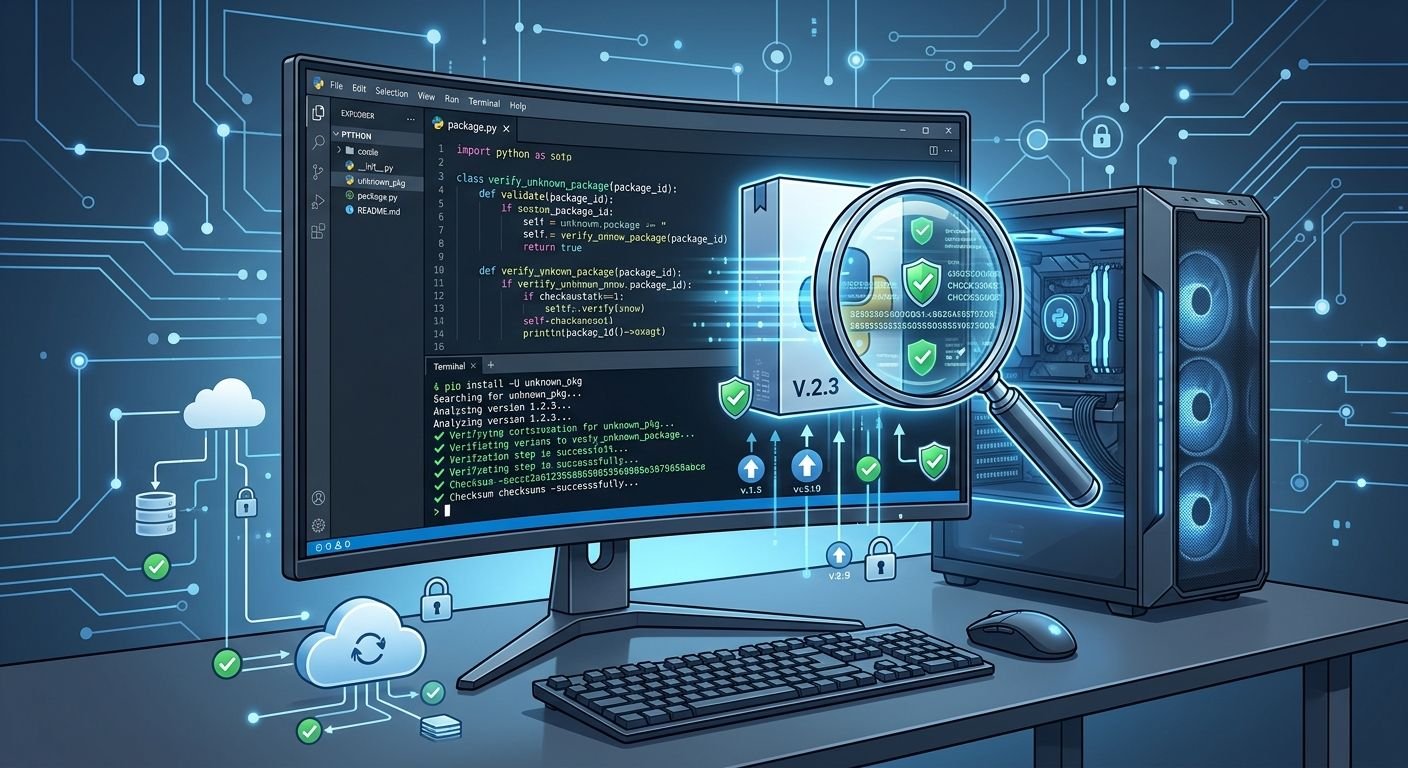
That uncertainty changes how users should approach the subject. Rather than assuming that every article describing a “Dowsstrike2045 Python update” is genuine, developers should first verify the project’s identity, source code, package name, maintainer, release history, and installation channel.
This guide explains what can currently be established, why the name is confusing, how legitimate Python updates normally work, and what to do if you encounter a file or installation command using the Dowsstrike2045 name.
What Is Software Dowsstrike2045 Python?
At present, Software Dowsstrike2045 Python is best treated as an unverified software name or online search term, rather than a confirmed mainstream Python package.
Several websites describe it as though it were an established framework. However, the descriptions vary considerably. Some sources characterize it as an automation or development framework, while others describe cybersecurity, monitoring, or advanced computational capabilities.
That inconsistency matters.
A legitimate Python project normally has identifiable technical evidence behind it. For example, users would typically expect to find some combination of:
- An official project website
- A public source-code repository
- A recognizable developer or organization
- A package listing
- Version numbers
- Release dates
- Documentation
- Installation instructions
- A license
- Issue tracking or support information
- A changelog
Without those elements, it is difficult to establish what the software actually does or whether a particular download represents the original project.
Therefore, readers should not assume that a feature list published on an unrelated blog represents a verified capability of Dowsstrike2045.
Is the Dowsstrike2045 Python Software Real?
There is currently no reliable public evidence establishing Dowsstrike2045 as a recognized Python software project under that exact name.
Recent web investigations reached the same general conclusion. They found no confirmed PyPI project matching the name and no clearly identifiable public GitHub repository or maintainer associated with an established project.
This does not prove that nobody has ever used the name privately.
For example, an internal company project could theoretically use an unpublished name. A private Git repository would not necessarily appear in public searches. Someone could also have used the term as a temporary project name.
The important distinction is that private or hypothetical use is not the same as a publicly verifiable software release.
Consequently, anyone searching for an installation package should verify the source before running it.
Is There a Confirmed Dowsstrike2045 Python Update?
A confirmed official update cannot currently be established from a trustworthy public release channel.
Several websites use phrases such as “Dowsstrike2045 Python update” and provide detailed installation instructions. However, those pages disagree about what the software is and how it should be installed.
That creates an important problem.
A genuine software update should normally be traceable to an original project. A user should be able to identify:
| Verification point | What to look for |
|---|---|
| Developer | A real person, company, or organization |
| Project | Official website or repository |
| Package | Exact package/distribution name |
| Version | Specific release number |
| Changelog | Documented changes |
| Compatibility | Supported Python and operating systems |
| Distribution | Trusted package index or official download |
| Security | Integrity information or signed releases where applicable |
| Support | Issues, documentation, or security contact |
If a page provides an installation command but cannot establish who created the software, the command should not be treated as proof of legitimacy.
Why Are There So Many Different Descriptions?
The unusual search footprint is one of the most important things to understand about this topic.
Some pages describe Dowsstrike2045 as a cybersecurity framework. Others present it as an automation platform, a computational toolkit, or a general Python development system.
A genuine project can certainly have multiple uses. However, its fundamental identity should remain consistent.
For example, established Python projects normally have a stable package name and documentation explaining what the project does. Third-party articles may interpret the project differently, but they can still point readers toward the same underlying source.
With Dowsstrike2045, the bigger problem is the absence of a clearly established underlying source.
This is why developers should be especially cautious about treating unsupported feature lists as technical documentation.
Why You Should Not Immediately Run a Dowsstrike2045 Installation Command
Some websites provide commands resembling:
pip install dowsstrike2045
However, you should not run this command merely because a blog recommends it.
Python’s official packaging guidance explains that pip can install packages from PyPI, version-control repositories, local archives, and other package indexes. That flexibility is useful, but it also means developers need to know where a package is coming from.
The problem with an unverified package name is not simply that the command might fail.
A more serious concern is that a similarly named package could exist somewhere other than the expected official source. A developer who blindly follows an installation command could therefore install software they did not intend to trust.
The safer approach is to verify the package first.
How to Verify an Unknown Python Package
Before installing unfamiliar software, use a structured verification process.
1. Identify the Exact Package Name
Do not confuse the name of an article with the actual Python distribution name.
A project may have:
- A product name
- A GitHub repository name
- A PyPI distribution name
- A Python import name
These can sometimes differ.
Therefore, documentation should identify the exact package that users are expected to install.
2. Check PyPI
If a project claims to be a public Python package, search the Python Package Index.
Check:
- Project name
- Maintainer
- Release history
- Project description
- Dependencies
- Source repository
- Download files
- Recent activity
The absence of a PyPI project does not automatically prove that software is malicious. Developers can distribute private packages or use another legitimate repository.
However, it does mean that a user should not assume that pip install <name> is an official installation method.
3. Check the Source Repository
Look for a real repository containing meaningful development history.
Useful signals include:
- Commit history
- Issues
- Pull requests
- Documentation
- Tests
- License information
- Release tags
- Named contributors
A repository created recently with little or no meaningful history deserves additional scrutiny.
4. Check the Dependencies
Even if the main package appears legitimate, inspect what it installs.
A package may depend on dozens of other libraries. Those dependencies can introduce additional security and compatibility considerations.
This is one reason isolated environments are valuable.
Using a Virtual Environment for Safer Testing
Python’s official packaging documentation recommends virtual environments for working with third-party packages. A virtual environment creates an isolated environment so project dependencies do not interfere with other Python projects.
On Windows, you can create one with:
py -m venv .venv
Then activate it with:
.venv\Scripts\activate
On Linux or macOS:
python3 -m venv .venv
Then:
source .venv/bin/activate
Once activated, Python and pip operate within that environment.
This does not make an unknown package automatically safe. Instead, it reduces the chance that ordinary dependency changes will interfere with unrelated projects.
For unfamiliar software, that distinction is important.
How Legitimate Python Updates Normally Work
For a verified Python package, updating is relatively straightforward.
The Python Packaging User Guide documents the standard upgrade format:
python -m pip install --upgrade PackageName
On Windows, the equivalent can be:
py -m pip install --upgrade PackageName
However, the package name should be replaced only after the project’s identity has been verified.
In other words, the command itself is not the difficult part.
Knowing exactly what you are upgrading is the important part.
Why Version Numbers Matter
A trustworthy software update should identify a specific version.
For example:
- Version 1.2.0
- Version 2.0.0
- Version 2.1.3
A release number lets developers compare changes and determine compatibility.
A vague statement such as “new Dowsstrike2045 Python update” does not provide enough information.
A proper changelog should ideally explain whether an update includes:
- Bug fixes
- Security fixes
- New features
- Removed features
- API changes
- Dependency changes
- Python-version changes
- Operating-system compatibility changes
Without this information, developers cannot reliably assess the impact of an update.
What About the Claims That Dowsstrike2045 Is a Cybersecurity Tool?
Some online articles describe Dowsstrike2045 as a cybersecurity or threat-analysis framework. Other sources describe different functionality.
These claims should be treated as unverified descriptions, not established specifications.
This distinction is particularly important for cybersecurity-related software because security tools can have significant system privileges and can interact with networks, files, credentials, or other sensitive resources.
A developer should never install a supposed security tool simply because an article describes it as powerful.
Instead, verify:
- Who created it.
- Where its source code is hosted.
- What permissions it requires.
- What dependencies it installs.
- What license governs it.
- Whether security researchers or organizations recognize the project.
- Whether releases have a verifiable history.
Could Dowsstrike2045 Be a Typo?
Possibly.
One published source has suggested that the term could be confused with legitimate Python tools associated with CrowdStrike, particularly FalconPy.
That is only one possible explanation, however, and it should not be treated as the definitive origin of the term.
Search queries can contain:
- Typographical errors
- Misspelled product names
- Automatically generated phrases
- Abbreviations
- Internal project names
- Confusion between related products
Therefore, if you encountered “Dowsstrike2045” inside a real project, the surrounding context is important.
For example, a requirements file, import statement, repository URL, or error message may reveal what the user actually needs.
Dowsstrike2045 Python Update vs a Normal Package Update
The difference becomes clearer when the two situations are compared.
| Factor | Verified Python package | Dowsstrike2045 search term |
|---|---|---|
| Public identity | Clearly established | Not clearly established |
| Package source | Traceable | Not confirmed |
| Maintainer | Identifiable | Not verified |
| Version history | Normally available | Not confirmed |
| Documentation | Usually available | Conflicting third-party descriptions |
| Update method | Documented by project | No verified official method |
| Changelog | Expected | Not confirmed |
| Installation | Known package/source | Should not be assumed |
| Security assessment | Can be investigated | Identity itself remains uncertain |
This comparison explains why ordinary Python update instructions should not automatically be applied to Dowsstrike2045.
What If You Already Installed a Dowsstrike2045 File?
If you already downloaded or executed a file using this name, do not assume that the file is genuine simply because it appeared in a search result.
First, identify what you actually installed.
Check:
- The download URL
- File name
- File type
- Installation date
- Python environment
- Package list
- Repository or source
- Commands you executed
- New files created by the installer
If you used pip inside a virtual environment, you can inspect installed packages with:
python -m pip list
You can also record the environment’s dependencies:
python -m pip freeze
The Python Packaging User Guide documents pip freeze as a way to output installed packages and their versions, which can help reproduce or audit an environment.
If you executed an unknown script outside an isolated environment, consider disconnecting the affected system from sensitive networks while you investigate, particularly if the software requested elevated privileges or access to credentials.
For serious security concerns, use a trusted security professional or your organization’s incident-response process rather than attempting to diagnose a potentially compromised system casually.
Common Mistakes When Searching for Dowsstrike2045 Python
Mistake 1: Treating Search Results as Documentation
A search result is not proof that software exists.
The important question is whether the result leads back to an identifiable original project.
Mistake 2: Copying Commands From Blogs
Installation commands should come from the project’s verified documentation or a trusted package-management workflow.
Copying commands from unrelated websites can introduce unnecessary risk.
Mistake 3: Assuming a Detailed Article Must Be Accurate
Some online articles provide extremely specific version numbers, APIs, installation paths, and feature descriptions. Detail alone does not establish accuracy.
A claim becomes more credible when readers can independently verify it.
Mistake 4: Installing Globally
Python’s packaging documentation recommends virtual environments because they isolate project dependencies and reduce conflicts between applications.
Mistake 5: Ignoring Dependency Changes
Updating one library can change other dependencies. That is why developers should maintain a requirements file or another dependency-management strategy for important projects.
A Better Way to Handle Unknown Software Names
When an unfamiliar Python project appears online, use this simple checklist:
Identify → Verify → Isolate → Test → Update
First, identify the exact project and package name.
Next, verify the developer, repository, documentation, and distribution channel.
Then, isolate the software inside a virtual environment.
Afterward, test it without exposing important credentials or production data.
Finally, update it only through the project’s verified release mechanism.
This method works not only for Dowsstrike2045 but for almost any unfamiliar Python package.
Frequently Asked Questions
Is Software Dowsstrike2045 Python a real program?
There is currently no reliable public evidence establishing “Dowsstrike2045 Python” as a recognized public Python package under that exact name. Several websites describe it differently, but a verified developer, official package listing, and consistent release history have not been established. Therefore, users should treat the name as unverified rather than assuming it represents an installable product.
Is there an official Dowsstrike2045 Python update?
No authoritative public update channel has been verified for the exact Dowsstrike2045 name. Websites use the phrase “Python update,” but their instructions and descriptions conflict. Until an original developer, repository, package, and release history can be confirmed, there is no reliable basis for claiming that a particular Dowsstrike2045 update is official.
Can I install Dowsstrike2045 with pip?
You should not assume that you can safely install it with pip. A command such as pip install dowsstrike2045 should only be used when the exact distribution name has been confirmed through a trustworthy project source. Python’s packaging tools can install packages from several sources, so verifying the origin is essential.
Why are there different descriptions of Dowsstrike2045?
Different websites describe the name as an automation framework, cybersecurity tool, computational system, or development platform. These conflicting descriptions are one reason the project’s identity remains uncertain. Without an authoritative repository or documentation, those descriptions should be considered claims made by individual websites rather than established software specifications.
Is Dowsstrike2045 Python malware?
There is not enough evidence to conclude that the name itself represents malware. However, the lack of a verified project means users cannot confidently establish what a file using that name contains. A download offered under an unverified software name should therefore be treated cautiously until its source, contents, and developer can be independently confirmed.
What is the safest way to test an unknown Python package?
Use a dedicated virtual environment, verify the source before installation, avoid sensitive credentials, inspect dependencies, and test the software with non-production data. Python’s official packaging documentation recommends virtual environments for isolating third-party packages and preventing dependency conflicts between projects.
What should I do if a Dowsstrike2045 update breaks my Python project?
First, identify the actual package and version that changed. Check the project’s release notes, compare the previous dependency versions, and reproduce the problem in an isolated environment. If the software cannot be traced to a legitimate project, avoid repeatedly reinstalling unknown files and instead determine where the original package came from.
Key Takeaway
The Software dowsstrike2045 Python update is currently surrounded by more uncertainty than established technical documentation. Multiple websites describe the name as different types of Python software, yet current public evidence does not establish a consistent developer, official package, or authoritative release channel.
For that reason, the safest approach is not to invent an installation method or trust an unfamiliar download. Instead, verify the exact package identity, inspect its source, use an isolated Python environment, and rely on official documentation whenever an authentic project can be identified.
Python itself provides strong tools for managing dependencies safely. Virtual environments can isolate projects, while pip provides documented methods for installing, upgrading, and recording package versions.
Until Dowsstrike2045 can be tied to a verifiable software project, treat claims about its features, versions, and updates as unconfirmed.


US Open Fashion: 15 Best Tenniscore Outfit Ideas

How AI Search Is Changing Online Shopping and Small Businesses

What Are AI Agents? 7 Ways Businesses Are Using AI Agents
-

 Entertainment9 years ago
The final 6 ‘Game of Thrones’ episodes might feel like a full season
-

 lifestyle6 months ago
Creative Conference Room Ideas to Enhance Productivity and Collaboration in 2026
-
Fashion9 years ago
According to Dior Couture, this taboo fashion accessory is back
-
Entertainment9 years ago
The old and New Edition cast comes together to perform
-
Business9 years ago
The 9 worst mistakes you can ever make at work
-
Business9 years ago
Uber and Lyft are finally available in all of New York State
-
Entertainment9 years ago
Disney’s live-action Aladdin finally finds its stars
-
Entertainment9 years ago
Mod turns ‘Counter-Strike’ into a ‘Tekken’ clone with fighting chickens