Connect with us

Education

What Does “Mean in Text” Really Mean? : A Clear Guide

Published

on

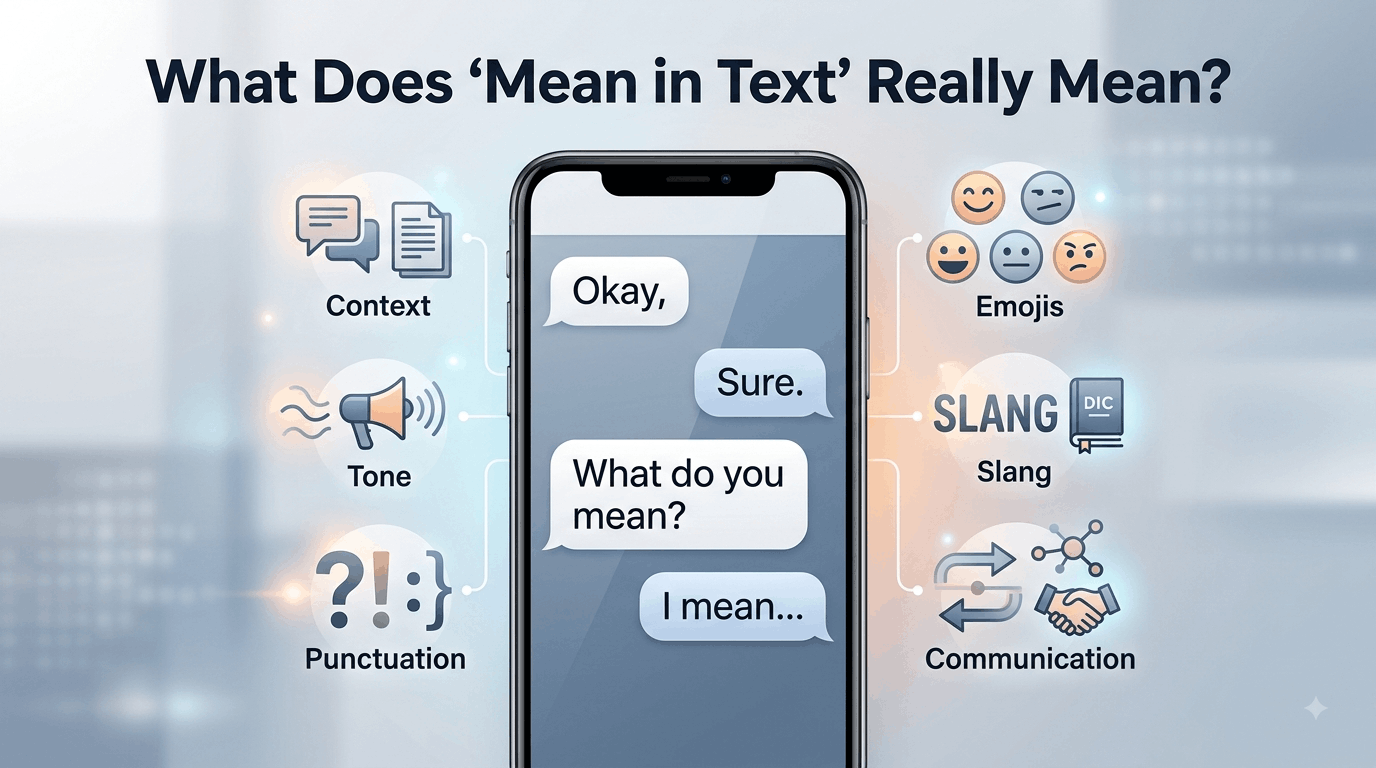
What Does “Mean in Text” Really Mean explained with text message examples

When someone searches “What Does ‘Mean in Text’ Really Mean?”, they are usually trying to understand what a word, phrase, abbreviation, emoji, or message is intended to communicate. In texting, “mean” can refer to a literal definition, a person’s intention, emotional tone, or even whether a message sounds rude.

The key is context. A short reply such as “okay,” “fine,” or “sure” does not automatically have one fixed emotional meaning. The relationship between the people, the previous messages, punctuation, timing, and even the sender’s usual writing style can change how the message is understood.

This guide explains the different meanings of “mean” in text, how to interpret tone, why misunderstandings happen, and how to respond when a message is unclear.

What Does “Mean in Text” Really Mean?

The phrase “What Does ‘Mean in Text’ Really Mean?” is slightly unusual as a standalone expression. In search queries, however, people generally use it to ask what a particular word, message, symbol, or phrase means when it appears in a text conversation.

There are several possible interpretations.

1. “Mean” as the definition of something

Someone may ask:

“What does LOL mean in text?”

Here, “mean” simply asks for the definition of LOL. The person wants to know what the abbreviation stands for and how people use it.

The same question can apply to:

  • Slang
  • Acronyms
  • Abbreviations
  • Emojis
  • Internet expressions
  • Symbols
  • Shortened words

2. “Mean” as someone’s intention

Consider the question:

“What did you mean by that?”

Here, “mean” refers to intention. The person is asking what the sender was trying to communicate.

This can be particularly important when a message has more than one possible interpretation.

3. “Mean” as unkind behavior

“Mean” can also be an adjective describing someone who behaves in a hurtful, rude, or unkind way.

For example:

“That was mean.”

In this sentence, the person is not asking for a definition. They are criticizing the tone or behavior behind a message.

4. “Mean” as an average

There is also a completely different mathematical meaning.

For example:

“The mean of 10, 20, and 30 is 20.”

Here, “mean” means the arithmetic average. This meaning is normally obvious from the surrounding context and is unrelated to texting slang.

Why Context Changes the Meaning of a Text

Text messages remove many of the signals people normally use during face-to-face conversations.

When people speak, they can hear:

  • Voice pitch
  • Volume
  • Pauses
  • Emphasis
  • Laughter
  • Hesitation

They can also see facial expressions and body language.

A text message removes most of those signals. As a result, readers have to infer tone from the words and the way they are presented.

For example:

“Okay”

could be completely neutral.

But:

“Okay.”

might feel more final or serious to some readers.

On the other hand, another person may use periods in every message and intend absolutely no negative tone.

This is why punctuation should be treated as a clue rather than proof of someone’s emotions.

The Four Main Meanings of “Mean” in Text

A useful way to understand the phrase is to separate definition, intention, tone, and implication.

Meaning What the person is asking Example
Definition What does this word or abbreviation stand for? “What does IDK mean in text?”
Intention What was the sender trying to say? “What do you mean?”
Tone Does the message sound rude, friendly, serious, or sarcastic? “Was she being mean?”
Implication Is there another idea behind the literal words? “What did he mean by that?”

These categories can overlap. A person might understand the literal definition of a message but still be unsure about the sender’s intention.

How Tone Works in Text Messages

Tone is one of the biggest reasons people search for explanations of text messages.

Suppose someone writes:

“Nice.”

Depending on context, that could mean genuine approval, mild enthusiasm, sarcasm, or indifference.

Now compare it with:

“Nice!! 😂”

The additional punctuation and emoji may make the message appear more enthusiastic or playful.

But there is no universal rule. People develop individual texting habits, and those habits can be more reliable than general assumptions about punctuation.

Message length can also affect perception

A person who normally sends long messages might suddenly respond:

“K.”

The short reply may feel unusual because it differs from their normal communication pattern.

However, a person who regularly uses short replies may simply be communicating normally.

The change from someone’s usual behavior can therefore be more informative than the individual word itself.

Common Texting Examples and Their Possible Meanings

“What do you mean?”

This usually asks the other person to clarify their statement.

Example:

Person A: “You already know why.”

Person B: “What do you mean?”

The second person is asking for more information.

“I didn’t mean that.”

Here, “mean” refers to intention.

The speaker is explaining that the message was interpreted differently from what they intended.

“That was mean.”

Here, “mean” describes behavior as hurtful or unkind.

It does not mean “definition” or “intention.”

“What does this mean?”

This is usually a straightforward request for clarification.

The question might concern a slang term, abbreviation, emoji, sentence, or unfamiliar expression.

“I mean…”

The expression “I mean” can introduce a clarification, correction, qualification, or additional thought.

For example:

“I mean, we could leave earlier if you want.”

It does not automatically indicate sarcasm or hostility. Its tone depends heavily on context and the relationship between the speakers. Discussions among English speakers also show that “I mean” can sometimes feel condescending in particular contexts, while remaining completely conversational in others.

Punctuation Can Influence How a Text Feels

Punctuation has a special role in digital communication because people sometimes use it to compensate for the lack of vocal tone.

Periods

A period can simply be normal grammar.

However, in some informal texting situations, a period at the end of a very short message may be perceived as unusually formal, serious, or even irritated.

That interpretation is not universal. Research and anecdotal discussion about texting show that people can perceive punctuation differently depending on age, habits, and context.

Exclamation marks

An exclamation mark can communicate enthusiasm:

“That’s great!”

It can also emphasize urgency or excitement.

But using several exclamation marks may produce a very different impression:

“WHAT!!!”

Again, context determines whether the effect is excitement, humor, surprise, or anger.

Ellipses

An ellipsis can indicate hesitation, an unfinished thought, or a pause:

“I thought you were going to…”

Some people also interpret ellipses as uncertainty or tension in informal messages.

The important point is that punctuation provides social cues, but those cues do not have fixed meanings in every conversation.

Emojis Can Change the Interpretation

Emojis often help communicate emotional information that words alone may not express.

Compare:

“Sure.”

with:

“Sure 😊”

The second version may appear warmer.

Likewise:

“Okay 😂”

can suggest that the sender is joking or responding playfully.

But emoji meanings can vary between communities, age groups, cultures, and platforms. A symbol that one person considers friendly may be interpreted differently by someone else.

Therefore, an emoji should not be treated as a universal translation.

Slang and Abbreviations Create Another Layer of Meaning

Texting has developed a large vocabulary of abbreviations and informal expressions.

Common examples include:

  • LOL — laughing out loud
  • BRB — be right back
  • IDK — I don’t know
  • TBH — to be honest
  • NGL — not gonna lie
  • FYI — for your information

The exact interpretation can still depend on context.

For example, “LOL” does not necessarily mean the sender is literally laughing. It can function as a conversational marker that makes a statement sound lighter or less serious.

This is one reason dictionary-style definitions are sometimes insufficient when interpreting digital language.

Why the Same Message Can Sound Friendly or Rude

Consider:

“You came.”

This could be a simple observation.

But depending on the previous conversation, it could also express surprise, relief, disappointment, or sarcasm.

Now consider:

“You actually came.”

The word “actually” changes the possible implication.

It might mean:

  • “I’m pleasantly surprised.”
  • “I wasn’t sure you would come.”
  • “I didn’t expect you to come.”
  • “I’m criticizing you for being late.”

The literal words alone do not provide enough information to determine which interpretation is correct.

A Better Way to Interpret an Unclear Text

Instead of immediately assuming what the sender intended, consider several factors.

1. Read the entire conversation

Do not interpret one sentence in isolation if previous messages are available.

The preceding conversation may explain an otherwise ambiguous response.

2. Consider the relationship

A close friend may use sarcasm that would sound rude coming from a coworker.

Similarly, a romantic partner, family member, colleague, and stranger may use the same words differently.

3. Compare the person’s normal style

Does the person usually use short messages?

Do they regularly use periods? or frequently use emojis?

Personal communication patterns provide useful context.

4. Look at the timing

A short response during a busy workday may simply mean the person is occupied.

It is risky to interpret a delayed or brief response as anger without additional evidence.

5. Ask for clarification when necessary

If the meaning genuinely matters, the simplest solution is often to ask.

For example:

“Just checking—what did you mean by that?”

Or:

“I’m not sure how to read that message. Can you clarify?”

This is usually more reliable than trying to decode every punctuation mark.

Common Misunderstandings About “Mean” in Text

A short message is not automatically rude

People may be busy, distracted, tired, or simply accustomed to concise communication.

A period does not automatically signal anger

Some people use conventional punctuation in every message.

An emoji does not guarantee a particular emotion

Emoji interpretation varies between people and communities.

“I mean” is not automatically passive-aggressive

It can simply introduce a clarification or conversational thought. The surrounding sentence and relationship matter.

Silence does not have one universal meaning

A person who does not reply may be busy, unsure how to respond, offline, or intentionally avoiding the conversation. Without additional context, the reason cannot be known with certainty.

Text Meaning Across Different Situations

The same wording can work differently depending on where it appears.

Situation What matters most Example
Friends Shared humor and personal habits “Sure 😂”
Family Familiar communication patterns “Okay, I’ll call later.”
Romantic conversation Emotional context and relationship history “Fine.”
Workplace Professional clarity and wording “Thanks, noted.”
Social media Community slang and platform culture “NGL, this is good.”
Group chats Audience and previous discussion “Wait, what?”

This distinction is especially useful when interpreting a message from someone whose communication style you do not know well.

Why People Overthink Text Messages

Texting encourages people to fill in missing information.

If someone says:

“We need to talk.”

the reader may immediately imagine a serious problem.

But the sentence itself does not specify what the conversation will concern.

The uncertainty comes from missing information, not necessarily from hidden hostility.

A useful rule is:

Separate what the message actually says from what you think the sender might mean.

That small distinction can prevent unnecessary misunderstandings.

When “Mean in Text” Has a Completely Different Meaning

Not every search involving the word “mean” is about texting tone.

The word has several established meanings in English.

Mean as a verb

It can describe intention:

“I mean what I said.”

Mean as an adjective

It can describe someone or something as unkind:

“That was a mean comment.”

Mean as a mathematical term

It can refer to an average:

“The mean of the numbers is 15.”

Mean as significance

It can indicate importance or significance:

“What does this decision mean for us?”

Recognizing the grammatical role of the word can quickly clarify which meaning applies.

The Most Important Clue Is Usually Context

One of the most overlooked aspects of digital communication is that there is no universal dictionary for tone.

Two people can receive the same message and interpret it differently.

For example:

“Sure.”

One reader may see agreement.

Another may see reluctance.

A third may see sarcasm.

The word itself has not changed. The surrounding context has.

This is why reliable interpretation should combine the actual words with the conversation, relationship, communication habits, and circumstances.

What Competitors Often Miss About Text Meaning

Many explanations of What Does “Mean in Text” Really Mean? focus mainly on slang and emojis. Those are useful, but they are only part of the problem.

A more important distinction is between literal meaning and inferred meaning.

Suppose someone writes:

“You’re early.”

The literal meaning is that the person arrived before an expected time.

The inferred meaning could be:

  • Genuine praise
  • Surprise
  • Sarcasm
  • Criticism
  • Simple observation

There is no reliable way to select one interpretation from the sentence alone.

The “baseline” matters

A particularly useful approach is to compare the message with the sender’s normal behavior.

If someone normally writes:

“Hey! How are you? 😊”

and suddenly sends:

“Hey.”

the change may be worth noticing.

But if that person always writes short messages, there may be nothing unusual at all.

This is a better approach than assigning fixed emotional meanings to individual punctuation marks or words.

How to Respond When You Are Unsure What Someone Means

If the message is low-stakes, you can simply respond normally and see how the conversation develops.

If clarification matters, ask directly.

Useful responses include:

  • “What do you mean?”
  • “Can you clarify what you mean by that?”
  • “Did you mean that seriously?”
  • “I’m not sure how you meant that.”
  • “Just checking—was that a joke?”
  • “I might be reading this wrong. What did you mean?”

These responses avoid making an accusation while giving the other person an opportunity to explain.

FAQs About What Does “Mean in Text” Really Mean?

What does “mean” usually mean in texting?

In texting, “mean” can refer to several things. It may ask for the definition of a word or abbreviation, describe someone’s unkind behavior, or refer to the intention behind a message. The exact meaning depends on the sentence and surrounding conversation.

Does “mean” mean rude in text?

Not necessarily. “Mean” can describe someone as rude or unkind, as in “That was mean.” However, in “What do you mean?” the word refers to intention, not rudeness. Context and grammar determine which meaning applies.

Why can a simple text sound rude?

Texting removes vocal tone, facial expressions, and body language. Readers therefore rely more heavily on wording, punctuation, message length, and emojis. A short response such as “fine” may sound neutral to one person but annoyed to another. Personal communication habits also influence interpretation.

Does a period make a text sound angry?

A period does not automatically mean anger. Some people use standard punctuation in every message. In certain informal conversations, however, a period after a very short response can feel more formal or serious. The sender’s normal writing style and the surrounding conversation provide better clues than punctuation alone.

What does “I mean” mean in a text?

“I mean” commonly introduces a clarification, correction, qualification, or additional thought. For example, “I mean, we could leave now” suggests the writer is adding or refining an idea. It does not automatically mean the person is being sarcastic, rude, or passive-aggressive.

How can I tell if someone is being sarcastic over text?

There is no foolproof method. Look at the surrounding conversation, the person’s normal communication style, word choice, emojis, punctuation, and whether the statement conflicts with the obvious situation. If the distinction matters, asking for clarification is more reliable than assuming sarcasm.

Why does the same text mean different things to different people?

People bring different experiences, communication habits, relationships, and expectations to digital conversations. Because text lacks many nonverbal cues, readers may infer tone differently. A phrase that sounds friendly to one person may sound cold or sarcastic to another.

Conclusion

What Does “Mean in Text” Really Mean? depends on what the person is trying to understand. The word “mean” can refer to a definition, intention, emotional tone, unkind behavior, or even a mathematical average.

When interpreting messages, do not rely on one word, emoji, or punctuation mark alone. Look at the complete conversation, the relationship, the sender’s normal communication style, and the situation. When the meaning remains unclear, a simple clarification is usually more accurate than guessing.

The biggest takeaway is simple: text has words, but context gives those words their meaning.

Continue Reading
Click to comment

Leave a Reply

Your email address will not be published. Required fields are marked *

Education

How Equal Protection Shapes School Opportunity And Workplace Access

Published

on

equal protection initiative

Equal protection is not only a constitutional principle or a courtroom issue. It shapes whether people can understand an application, reach a school program, compete for a job, report a concern, or move into leadership. The equal protection initiative offers a useful reminder that removing barriers to education and economic opportunity remains an ongoing responsibility.

For schools, employers, and public institutions, the central question is simple: does the process give qualified people a real and fair chance to take part? Answering it requires more than good intentions. It requires leaders to examine how policies work in everyday life.

What Equal Protection Means In Daily Life

In plain language, equal protection means public rules and decisions should not unfairly deny people opportunities because of who they are. Equal treatment and equal access are related, but they are not identical. Giving everyone the same form may look fair, for example, but it does not create equal access if the form is difficult to read, available only online, or offered in only one language.

Neutral-looking rules can still create unequal results. A school referral process may depend too heavily on personal recommendations. A job requirement may screen out candidates even though it is unrelated to the actual work. Fair review considers both the written policy and its real-world effect on students, applicants, workers, and families.

How Schools Can Improve Access

Schools can begin by reviewing admissions, discipline, gifted-program, and advanced-course procedures. Leaders should ask whether transportation, meals, technology, tutoring, counseling, and family communication are easy to access. Notices and applications should use plain language, clear deadlines, and translations that reflect the school community.

Staff training also matters. Teachers and administrators should understand how bias can influence referrals, classroom participation, and discipline decisions. Families need a clear, respectful way to ask questions, request support, or challenge a decision. Tracking access should never reduce children to numbers. The purpose is to find gaps, improve support, and check whether changes are working.

How Employers Can Build Fairer Systems

Fairness at work starts before an interview and continues through promotion. Employers can write job descriptions around real duties, use consistent interview questions, publish pay ranges where appropriate, and explain what employees must demonstrate to advance. They should also review who receives mentoring, training, stretch assignments, and visible projects.

Workers need more than one safe option for reporting concerns, particularly when a supervisor may be involved. Employers should also test whether schedules, attendance policies, buildings, digital tools, or transportation expectations create unnecessary barriers for caregivers, disabled workers, or people with limited travel options. Before changing civil rights-related policies, organizations should review current guidance, including this Title VI update.

Why Good Data Matters

Data can show where people lose access to enrollment, hiring, pay, retention, discipline, promotion, or services. Numbers should be reviewed across groups to identify patterns, not to make assumptions about any individual. Pair quantitative findings with interviews, surveys, complaint trends, and community feedback.

A useful review checklist asks:

  • Who receives the opportunity, and who is missing?
  • At what step does the process lose people?
  • What may explain the gap?
  • What change can be tested next, and when will the results be reviewed?

Common Barriers That Go Unnoticed

Many barriers do not announce themselves as discrimination. They may appear as complicated forms, unclear deadlines, interviews held only during work hours, unpaid internships, costly application steps, limited internet access, or outdated technology. Other examples include discipline rules with excessive personal discretion, degree requirements unrelated to job duties, inaccessible meetings or websites, and policies that overlook language, disability, caregiving, or transportation needs.

A Practical Action Plan For Leaders

  1. Map the process:List every step a person must complete to receive an opportunity or service.
  2. Find pressure points:Identify confusion, delay, cost, inaccessible tools, and unnecessary exclusions.
  3. Ask affected people:Seek feedback from students, families, applicants, employees, and community partners.
  4. Test one change:Start with a practical pilot, such as simplified forms or expanded appointment times.
  5. Track results:Review participation, completion, satisfaction, complaints, and appeal outcomes.
  6. Share an update:Explain what changed, what worked, and what still needs attention.

Examples Readers Can Use

  • School example:A district sees advanced-course enrollment decline at the referral stage. It opens applications to all interested students, holds family information sessions, and reviews placement data each term.
  • Workplace example:An employer finds that qualified employees leave before reaching management. It publishes promotion expectations and adds structured career conversations.
  • Community example:A public program receives few applications from eligible residents. It expands outreach through libraries, schools, and neighborhood organizations.

Common Questions About Equal Opportunity

Does Fair Treatment Mean Everyone Receives The Exact Same Support?

No. Fair treatment can mean removing different barriers for different people. The goal is a fair chance to participate, not identical assistance in every situation.

Can Schools And Employers Still Use Standards?

Yes. Standards should be tied to real academic or job requirements, applied consistently, and reviewed regularly to make sure they do not create avoidable barriers.

Why Review Neutral Policies?

A neutral rule can still burden one group more heavily than another. Regular review helps leaders notice problems early and make thoughtful improvements before exclusion becomes routine.

Where Can Readers Find Government Updates?

The Department of Justice maintains an Educational Opportunities Section news page with education-related civil rights updates. Because laws and agency guidance can change, complex situations may require advice from a qualified professional.

How To Measure Progress

  • Compare participation and completion rates before and after changes.
  • Review wait times, complaints, appeals, and user feedback.
  • Check whether progress reaches different locations and income levels.
  • Set a future review date rather than treating any policy as permanently finished.

A Fairer Path Forward

Equal protection is built through daily choices. Schools, employers, and public institutions can create fairer access by using clear rules, listening carefully, studying outcomes, and correcting barriers that block participation. A fair system cannot promise the same result for everyone, but it can create a stronger and more genuine chance for every person to move forward.

Continue Reading

Education

Innovative Course Creation Ideas for Educational Businesses

Published

on

Innovative course creation ideas for educational businesses

Educational businesses need more than a collection of recorded lessons to stand out. The strongest innovative course creation ideas for educational businesses connect a clear learner problem with a specific outcome, useful practice, feedback, and a delivery model that people can realistically complete.

That distinction matters. A course can contain excellent information and still struggle if learners do not know what to do with it. On the other hand, a focused program that helps someone achieve one meaningful result can become a valuable educational product.

Google’s current guidance also emphasizes original, helpful, people-first content rather than material created primarily to manipulate search rankings. It specifically encourages substantial information, original analysis, clear expertise, and content that leaves readers satisfied.

For educational businesses, that principle applies beyond SEO. The learning experience itself should be designed around usefulness.

This guide explores practical course models, subject ideas, delivery formats, monetization considerations, and the design decisions that can turn educational knowledge into a stronger online learning business.

What Makes Course Creation Ideas Valuable for Educational Businesses?

A good course idea sits at the intersection of three things:

  1. A real learner problem
  2. A teachable solution
  3. A viable business model

Many course creators start with the third question: What can I sell?

A better starting point is: What can I help someone accomplish?

For example, “Digital Marketing Basics” is broad. A more useful concept might be “Build Your First 30-Day Content Strategy for a Small Business.”

The second idea gives the learner a destination.

That makes course planning easier because lessons can be built around the desired result rather than around everything the instructor knows.
A well-structured course should be built around the learner journey, not simply a collection of lessons, as highlighted in the EDUCAUSE Digital Learning Design Framework.

A Strong Course Idea Usually Has a Clear Transformation

Before creating lessons, define the change you want to create.

A simple framework is:

Before → Learning experience → After

For example:

Before: A teacher struggles to create engaging digital worksheets.

Learning experience: Short lessons, templates, demonstrations, and practical assignments.

After: The teacher can independently create interactive worksheets for a specific subject.

This transformation becomes the foundation for the curriculum, sales page, assessments, and marketing.

15 Innovative Course Creation Ideas for Educational Businesses

The best model depends on your audience, subject, resources, and desired price point. Here are several formats that can be adapted to different educational businesses.

1. Project-Based Courses

Instead of organizing a course around topics, organize it around a project.

A graphic design course, for example, could have students create a complete brand identity. A programming course could end with a functioning application. A business course could require students to build a simple business plan.

The learner produces something tangible while studying.

This model is particularly useful when the skill being taught is practical because assignments become evidence of progress.

Best for: design, coding, marketing, business, writing, video production, crafts, and professional skills.

2. Micro-Courses That Solve One Specific Problem

Not every learner wants a 12-week program.

A micro-course can focus on one narrow outcome and be completed in a short period.

Examples include:

  • Create a professional presentation
  • Learn Excel formulas for accounting
  • Build a basic WordPress website
  • Write better academic essays
  • Understand beginner Python
  • Create a social media content calendar

The key is restraint.

A micro-course should not become a large course squeezed into a smaller package. Its strength comes from solving one problem clearly.

3. Cohort-Based Learning Programs

A cohort-based course allows learners to move through a program together.

Instead of purchasing recordings and studying independently, participants may have:

  • Weekly live sessions
  • Group discussions
  • Deadlines
  • Peer feedback
  • Instructor interaction
  • Collaborative assignments

This format can create accountability that self-paced courses often lack.

It can also help educational businesses differentiate themselves from large libraries of recorded content.

The Financial Times’ 2026 executive education methodology, for example, places substantial emphasis on participant perceptions of preparation, course design, teaching methods, materials, and outcomes in its evaluation of executive programs.

That reinforces an important point: delivery quality matters alongside the information itself.

4. Certification-Focused Courses

A certification program can be designed around a clearly defined competency.

The important distinction is that a certificate should not simply mean “the student watched the videos.”

A stronger certification model can include:

  • Knowledge assessments
  • Practical projects
  • Graded assignments
  • Minimum completion requirements
  • Skills demonstrations

Educational businesses should also avoid implying that an internal course certificate is equivalent to a government license, university qualification, or professionally regulated credential when it is not.

5. Career Portfolio Courses

Instead of promising employment, build a course around portfolio development.

For example:

“Build a Beginner UX Design Portfolio in 6 Weeks.”

The learner completes several projects throughout the program and finishes with work that can demonstrate practical ability.

This approach can be especially useful for creative and digital fields.

The course becomes both education and structured project development.

6. Live Workshop Series

Some subjects work better as short workshops than as traditional courses.

A business could offer four separate sessions:

  • Research workshop
  • Planning workshop
  • Implementation workshop
  • Review workshop

This format reduces the commitment required from learners while allowing instructors to provide real-time explanations.

It also creates opportunities for recurring workshops around seasonal or changing topics.

7. Assessment-First Courses

This is an unusual but useful model.

Instead of beginning with lessons, begin by identifying what learners must eventually demonstrate.

For example, a language course might define:

  • Vocabulary competency
  • Reading comprehension
  • Listening ability
  • Written communication
  • Speaking ability

Lessons are then created to prepare students for those demonstrations.

This approach reduces unnecessary content because every lesson has a purpose.

8. Personalized Learning Paths

A single course does not need to treat every learner identically.

You can create branching paths based on:

  • Skill level
  • Career goal
  • Age group
  • Industry
  • Existing knowledge
  • Learning preferences

For example, a digital marketing program could provide different tracks for:

Freelancers → Small businesses → Marketing employees → Students

The foundational lessons can remain shared while advanced modules differ.

9. Case-Study-Based Courses

Some subjects are easier to understand through real situations.

A course about entrepreneurship could analyze different business scenarios and ask learners to make decisions.

For each case, learners might answer:

  • What is the problem?
  • What information matters?
  • What options exist?
  • Which option would you choose?
  • What could go wrong?

The instructor then explains the reasoning.

This teaches decision-making rather than simple memorization.

10. Challenge-Based Courses

A challenge turns learning into a structured activity.

Examples include:

  • 7-Day Writing Challenge
  • 14-Day Coding Challenge
  • 30-Day Speaking Challenge
  • 5-Day Productivity Challenge
  • 21-Day Design Practice

Challenges work particularly well when the skill improves through repeated practice.

The danger is designing a challenge around activity rather than learning. Completing 30 tasks is not automatically valuable. Each task should reinforce the intended competency.

11. Teacher-Trainer Courses

Educational businesses can create courses specifically for other educators.

Possible topics include:

  • Online teaching methods
  • Digital classroom management
  • Assessment design
  • Interactive lesson planning
  • Educational technology
  • Curriculum development
  • Creating worksheets and learning resources

This creates a B2B or professional-development angle rather than targeting individual students alone.

12. Parent Education Programs

Parents often need practical educational guidance but may not want academic theory.

Possible programs include:

  • Helping children develop study routines
  • Supporting early reading
  • Teaching responsible technology use
  • Creating effective homework systems
  • Understanding online learning
  • Supporting exam preparation

These programs should be especially careful about making evidence-based claims.

13. Industry-Specific Skills Courses

Generic courses face enormous competition.

A narrower program can be easier to position.

Instead of:

“Learn Excel”

consider:

“Excel for Small Business Bookkeeping.”

Instead of:

“Learn AI”

consider:

“AI Tools for Teachers: Lesson Planning and Classroom Workflows.”

Specificity helps learners understand why the course is relevant to them.

14. Hybrid Courses

Hybrid education combines self-paced content with human interaction.

A typical structure might look like:

Recorded lesson → Practical assignment → Live review → Feedback → Next module

This model can combine the flexibility of online learning with some of the accountability of instructor-led education.

It can also produce useful learner feedback because instructors see where students struggle.

15. Membership-Based Learning Libraries

Instead of selling one course at a time, educational businesses can create a continuously updated learning membership.

Members might receive:

  • New lessons
  • Monthly workshops
  • Templates
  • Practice exercises
  • Q&A sessions
  • Resource libraries
  • Community access

This works best when the subject changes regularly or learners need ongoing development.

It is less suitable for subjects where students simply need one fixed qualification or outcome.

How to Choose the Right Course Model

The best course format depends on the learning problem.

Learner Need Recommended Format Main Advantage
Learn one narrow skill Micro-course Fast completion
Build practical ability Project-based course Tangible result
Need accountability Cohort course Structured participation
Demonstrate competency Certification course Assessment-focused
Build professional work Portfolio course Visible output
Learn through decisions Case-study course Practical reasoning
Develop a habit Challenge course Repeated practice
Need continuing education Membership Ongoing access
Need instructor support Hybrid course Human feedback
Different learner levels Personalized path Better relevance

The table reveals something easy to miss: course format should follow learner behavior, not creator convenience.

A recorded video may be easy to produce, but that does not mean it is the best instructional format.

Build the Curriculum Around Outcomes, Not Information

One of the most common course-design mistakes is trying to include everything the instructor knows.

That creates bloated courses.

A better process is:

Step 1: Define the final outcome

Write one sentence:

“After completing this course, learners will be able to…”

If the sentence becomes extremely long, the course is probably too broad.

Step 2: Identify the required skills

Break the final outcome into smaller competencies.

For example, a beginner web-design course might require learners to understand:

  • Page structure
  • Basic styling
  • Responsive layouts
  • Navigation
  • Images
  • Publishing

Step 3: Turn competencies into modules

Each module should answer a practical question.

Instead of:

Module 3: CSS

use:

Module 3: How to Make Your Website Look Professional

The second title communicates purpose.

Step 4: Add practice

Every important skill should have an opportunity for application.

A useful lesson structure is:

Explain → Demonstrate → Practice → Feedback → Apply

This is usually more useful than simply:

Explain → Explain → Explain

Use AI Carefully in Course Creation

AI tools can accelerate course production, but speed should not replace expertise.

AI can assist with:

  • Brainstorming course structures
  • Generating draft quizzes
  • Creating practice-question variations
  • Summarizing instructor notes
  • Developing lesson outlines
  • Creating examples
  • Identifying potential knowledge gaps

But factual checking and instructional decisions should remain under human control.

Google’s guidance does not treat AI assistance as automatically disqualifying. Its emphasis is on whether content is useful, original, trustworthy, and created for people rather than primarily for manipulating rankings.

For educational businesses, that means AI can be a production tool without becoming the authority behind the curriculum.

Make Your Course More Interactive Without Overcomplicating It

Interactivity does not require expensive technology.

Simple elements can make a course more engaging:

  • Short quizzes
  • Decision scenarios
  • Downloadable worksheets
  • Practice exercises
  • Before-and-after examples
  • Reflection questions
  • Peer review
  • Instructor feedback
  • Progress checkpoints

The goal is not to make every screen interactive.

The goal is to make learners do something with the information.

For professional education, this can be especially important because learners often want skills they can apply immediately.

The Course Platform Should Match the Business Model

Educational businesses have different technical requirements.

A small creator may need:

  • Course hosting
  • Payments
  • Email integration
  • Basic quizzes
  • Student progress tracking

A larger organization may require:

  • Multiple instructors
  • Advanced analytics
  • Certificates
  • User management
  • Integrations
  • Corporate reporting
  • More complex permissions

Current online-learning platform comparisons reflect this diversity, with platforms serving different needs ranging from open-source customization and school environments to creator-focused course businesses and corporate training.

The important lesson is not to choose the platform with the longest feature list.

Choose the one that supports the learning experience you actually intend to deliver.

A Frequently Overlooked Opportunity: Teach the Workflow

Many educational products teach individual tools.

A stronger product can teach the workflow connecting those tools.

Consider an online educator.

They might need to:

  1. Research a topic.
  2. Create lesson objectives.
  3. Produce teaching materials.
  4. Record a lesson.
  5. Create an assessment.
  6. Review student performance.
  7. Improve the lesson.

A course teaching only one software application addresses one part of that workflow.

A program teaching the entire process can solve a much bigger problem.

This is one of the most useful ways to discover innovative course creation ideas for educational businesses: look at what learners struggle to accomplish between tools, not just what individual tools can do.

How to Validate a Course Idea Before Building It

Creating a course can require significant time, so validation should happen before production.

1. Talk to potential learners

Ask what they are currently struggling with.

Do not ask only:

“Would you buy this course?”

Instead ask:

“What have you already tried?”

“Where do you get stuck?”

“What would a successful result look like?”

These questions produce better information.

2. Examine existing alternatives

Search for:

  • Competitor courses
  • YouTube tutorials
  • Forums
  • Online communities
  • Reviews
  • Questions people repeatedly ask

Look for gaps.

If every competitor teaches theory but learners repeatedly ask for implementation help, that is a potential opportunity.

3. Build a minimum version

Do not necessarily create 40 lessons first.

Start with a smaller version of the learning experience.

A workshop, pilot cohort, or short course can reveal:

  • Where learners struggle
  • Which explanations work
  • Which lessons are unnecessary
  • What questions repeatedly appear
  • What outcomes students actually value

4. Improve from evidence

The first version should not be treated as final.

Use learner questions, assessment results, completion patterns, and feedback to improve the curriculum.

Research on online workforce learning has similarly highlighted the value of mapping assignments to learning objectives and using learning analytics to understand learner progress and improve course design.

Common Course-Creation Mistakes to Avoid

Creating a course that is too broad

“Everything About Business” is difficult to position and even harder to teach effectively.

Recording before designing

Filming dozens of lessons before defining outcomes can leave you with a large amount of content but a weak learning structure.

Confusing information with education

A learner does not necessarily need more information.

They may need:

  • Practice
  • Feedback
  • Examples
  • Structure
  • Accountability
  • A clear sequence

Making unrealistic promises

Avoid claims such as guaranteed income, guaranteed employment, or guaranteed exam success unless you can legitimately substantiate them.

Educational marketing should describe what the program provides rather than promising outcomes that depend on many external factors.

Ignoring accessibility

Consider captions, readable text, transcripts, keyboard accessibility, audio quality, visual contrast, and mobile usability.

Accessibility is not simply a technical checkbox. It can determine whether learners can actually use the course.

Frequently Asked Questions

What are the best course creation ideas for educational businesses?

The strongest ideas usually solve a specific learner problem. Project-based courses, micro-courses, cohort programs, professional certification, portfolio development, case-study learning, and hybrid programs are particularly adaptable because they connect education with measurable outcomes.

How do I choose a profitable online course topic?

Start with a problem rather than a topic. Identify what your target audience repeatedly struggles with, what they have already tried, and what result they want. Then evaluate whether you have sufficient expertise and whether learners have a reason to invest time or money in solving that problem.

Should an educational business create self-paced or live courses?

It depends on the learning objective. Self-paced courses work well for flexible, structured knowledge acquisition. Live or cohort-based programs can be better when learners need accountability, discussion, feedback, or practice. A hybrid model can combine both approaches.

How long should an online course be?

There is no universally correct course length. A course should be long enough to achieve its stated learning outcome but not padded to reach an arbitrary number of hours. Google’s guidance explicitly says creators should not write to a particular word count simply because they believe a search engine prefers it.

Can AI be used to create online courses?

Yes, AI can assist with brainstorming, drafting, quizzes, examples, and other production tasks. However, educational businesses should verify factual claims, maintain human oversight, and ensure the final material reflects genuine expertise and useful original work.

Conclusion

The strongest innovative course creation ideas for educational businesses are not necessarily the most technologically advanced. They are the ones that make learning clearer, more practical, measurable, and relevant to a specific audience.

A successful course can be a micro-course, cohort program, project-based curriculum, certification pathway, challenge, workshop series, membership, or hybrid experience. The format matters, but the learner’s desired outcome matters more.

Start by identifying a real problem. Define the transformation. Build only the lessons needed to achieve it. Add meaningful practice and feedback, validate the concept with real learners, and improve the program using evidence.

That approach also aligns with Google’s current people-first guidance: useful content should provide substantial value, demonstrate expertise, avoid simply rewriting existing material, and leave visitors satisfied.

No SEO strategy can permanently lock a page into one search position—Google explicitly says search rankings are dynamic and can rise or fall as systems, competitors, and user expectations change. The more durable strategy is to build something genuinely useful enough that learners, educators, and businesses would value it even without search traffic.

Continue Reading

Education

Complete Gimkit Guide: Codes, Login, Sign Up & Dashboard

Published

on

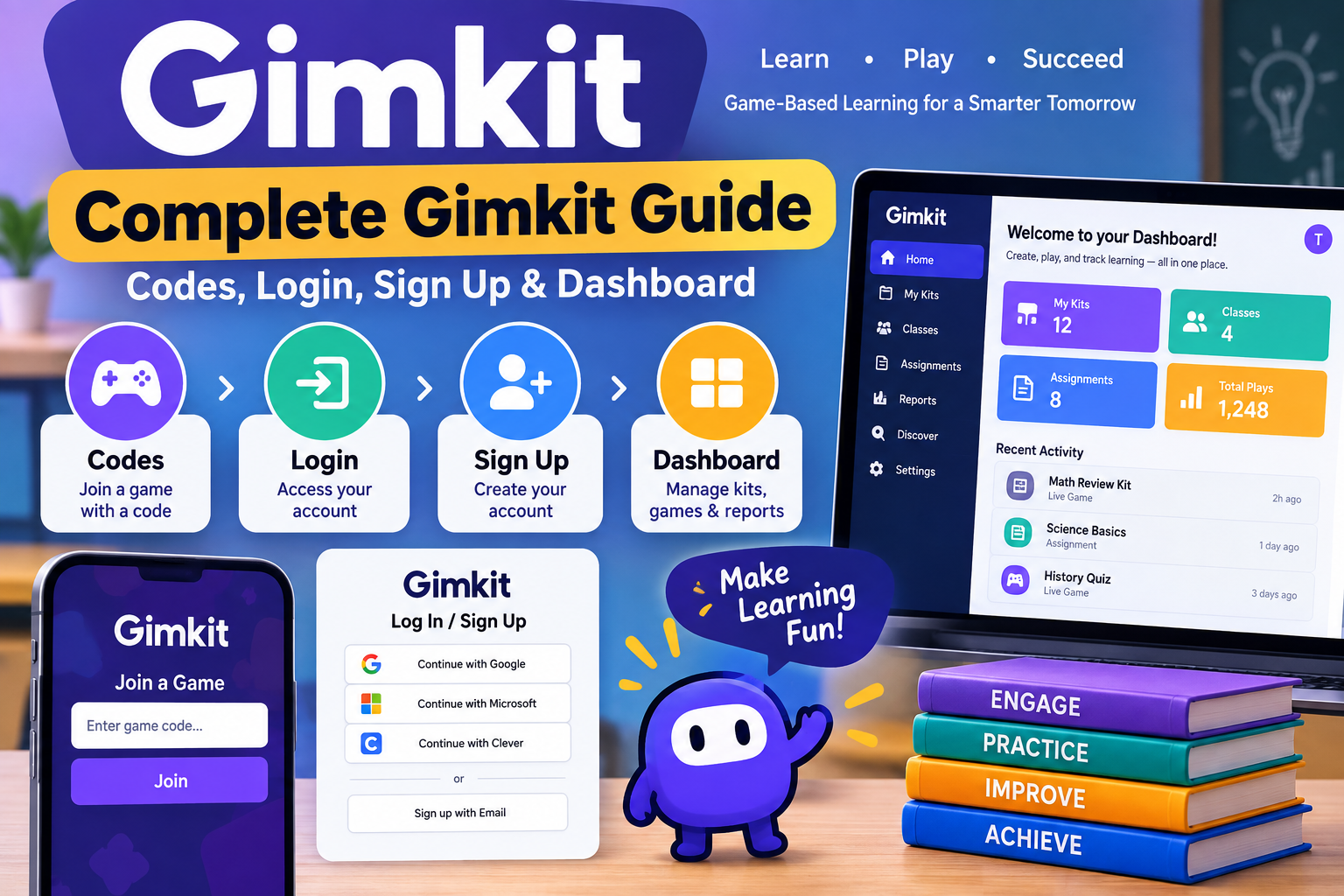
Complete Gimkit Guide showing codes login sign up process and dashboard interface
Complete Gimkit Guide: Codes, Login, Sign Up & Dashboard

Complete Gimkit Guide: Codes, Login, Sign Up & Dashboard is designed to help students, teachers, and parents understand one of today’s most popular game-based learning platforms. Whether you want to join a live game with a Gimkit code, create a new account, access your dashboard, or troubleshoot login problems, this guide explains every important feature in simple terms.

Unlike many classroom quiz platforms, Gimkit combines educational questions with engaging game mechanics. Players earn virtual currency by answering correctly, then use those earnings to purchase upgrades that improve their performance during the game. This unique system keeps learners motivated while helping teachers reinforce classroom concepts.

In this article, you’ll learn how Gimkit works, how to sign up, where to find game codes, how the dashboard functions, common issues users face, and practical tips that many other guides overlook.


What Is Gimkit?

Gimkit is an online educational platform that transforms quizzes into interactive learning games. It was originally created by a high school student who wanted to make studying more enjoyable and engaging.

Instead of answering one question after another in a traditional quiz format, students participate in live games where correct answers earn in-game money. That money can then be spent on upgrades, bonuses, and strategic advantages, making learning feel more like playing a video game.

Teachers can build custom quizzes, import question sets, or use ready-made Kits created by the Gimkit community. Students simply join using a game code without needing advanced technical knowledge.


Why Gimkit Has Become Popular

Many schools have adopted Gimkit because it encourages active participation rather than passive memorization.

Some of the biggest advantages include:

  • Interactive classroom learning
  • Friendly competition
  • Instant feedback
  • Teacher performance reports
  • Easy quiz creation
  • Homework assignments
  • Multiple game modes
  • Browser-based access with no complicated installation

The platform works across computers, tablets, Chromebooks, and smartphones, making it accessible in both classrooms and remote learning environments.


Complete Gimkit Guide: Codes, Login, Sign Up & Dashboard Features

Understanding the platform becomes much easier once you know its four core components.

Gimkit Codes

Game codes allow students to join live sessions hosted by teachers. Each session generates a unique code that participants enter on the Gimkit join page.

Codes usually expire after the teacher ends the game, meaning they cannot typically be reused later.

Login System

Registered users can log in using:

  • Email and password
  • Google account
  • Microsoft account
  • Clever (for supported schools)

Teachers and students both use the same login page, although available features differ depending on account type.

Sign Up Process

Creating a Gimkit account is straightforward.

Users choose whether they are:

  • Teacher
  • Student

After selecting an account type, they can register using an email address or supported single sign-on services such as Google.

Dashboard

The dashboard serves as the control center for every account.

Teachers use it to:

  • Create Kits
  • Host games
  • Review reports
  • Assign homework
  • Manage classes

Students mainly access assignments, completed games, and classroom activities from their dashboard.


How to Sign Up for Gimkit

Creating an account takes only a few minutes.

Step 1: Visit the Official Website

Open the official Gimkit website and select Sign Up.

Step 2: Choose Your Account Type

You’ll be asked whether you’re joining as:

  • Teacher
  • Student

Selecting the correct option ensures you receive the appropriate dashboard features.

Step 3: Create Your Account

You can register using:

  • Google
  • Microsoft
  • Email address

After verifying your account, you’ll gain access to your personal dashboard.

Step 4: Complete Your Profile

Teachers may create classes immediately.

Students usually wait until a teacher provides a classroom invitation or game code.


How to Log In to Gimkit

Returning users simply choose Log In from the homepage.

Enter your:

  • Email address
  • Password

—or—

Continue using your Google or Microsoft account.

If login fails, first verify that:

  • Caps Lock is off.
  • You’re using the correct email.
  • Your internet connection is stable.
  • Your browser supports modern web applications.

Password reset options are available if needed.


Understanding Gimkit Codes

One of the most searched topics is how Gimkit codes work.

A Gimkit code is a temporary access code generated whenever a teacher starts a live game.

Students don’t need to create a full account just to participate in many classroom sessions. They simply visit the join page, enter the code, and provide a nickname if requested.

Important Facts About Gimkit Codes

  • Every live game generates a new code.
  • Codes expire after the session ends.
  • Codes cannot usually be reused.
  • Only the game host controls active sessions.
  • Students cannot create their own public join codes.

Many websites claim to offer “free working Gimkit codes,” but these are often outdated or fake. Active codes are created in real time by teachers hosting games.


Exploring the Gimkit Dashboard

The dashboard is where users spend most of their time after logging in.

For teachers, it provides quick access to nearly every feature needed to manage classroom activities.

Dashboard Sections

  • My Kits
  • Classes
  • Assignments
  • Reports
  • Live Games
  • Discover
  • Settings

Each section is designed to simplify classroom management while reducing the time required to prepare lessons.

Students see a simplified version focused on assignments, classroom participation, and game history.


Teacher Dashboard vs Student Dashboard

Feature Teacher Student
Create Kits
Host Live Games
Join Games
Homework Assignments ✅ Create ✅ Complete
Reports Limited
Class Management
Game History

This difference helps ensure that teachers maintain control over classroom activities while students can focus on learning.

 Common Gimkit Login, Sign Up, and Dashboard Problems

Even though Gimkit is designed to be simple, users occasionally run into problems while creating an account, logging in, or accessing the dashboard. Most issues can be fixed within a few minutes without technical support.

Login Issues and Their Solutions

If you cannot log in to your Gimkit account, check the following:

  • Make sure your email address is entered correctly.
  • Verify that your password is accurate.
  • Use the “Forgot Password” option if necessary.
  • Clear your browser cache and cookies.
  • Try opening Gimkit in another browser.
  • Disable browser extensions that may interfere with login pages.
  • Ensure your internet connection is stable.

If you use Google or Microsoft Sign-In, confirm you’re selecting the correct account.


Sign-Up Problems

Sometimes users cannot complete the registration process.

Common causes include:

  • An email address already linked to an existing account
  • School network restrictions
  • Browser compatibility issues
  • Temporary server maintenance

Trying again later or using a different browser often solves the problem.


Gimkit Dashboard Loading Errors

If your Gimkit dashboard does not load correctly:

  1. Refresh the page.
  2. Sign out and log back in.
  3. Update your browser.
  4. Disable ad blockers temporarily.
  5. Test another internet connection.

Persistent loading problems may indicate temporary server issues rather than a problem with your device.


 Privacy and Safety on Gimkit

Since many Gimkit users are students, privacy is an important consideration.

Teachers should:

  • Avoid sharing game codes publicly.
  • Use secure classroom invitations.
  • Monitor student display names.
  • Remove inappropriate participants when necessary.
  • Follow school privacy policies regarding student accounts.

Students should never share passwords or personal information through classroom games.


 Tips to Get the Most from the Gimkit Dashboard

Many users only use a small portion of the platform’s capabilities. These practical tips can improve both teaching and learning.

For Teachers

  • Organize Kits into folders by subject.
  • Review reports after every session.
  • Duplicate successful Kits instead of rebuilding them.
  • Schedule assignments ahead of time.
  • Mix different game modes to keep students engaged.
  • Regularly update older question sets.

For Students

  • Review missed questions after every game.
  • Practice independently when assignments are available.
  • Focus on understanding answers instead of memorizing them.
  • Join games using official codes only.

 Lesser-Known Features Many Users Miss

Several useful features receive little attention despite improving the overall experience.

Automatic Performance Reports

Teachers can quickly identify:

  • Difficult questions
  • Frequently missed concepts
  • Individual student progress
  • Class-wide performance trends

This helps adjust future lessons based on real classroom data.

Kit Duplication

Instead of creating new quizzes from scratch, teachers can duplicate existing Kits and customize only the necessary questions.

Assignment Mode

Unlike live games, Assignment Mode allows students to complete activities at their own pace before a deadline.

Collaboration

Teachers can collaborate with colleagues by sharing Kits, saving preparation time while maintaining consistent lesson quality.


 Frequently Asked Questions

Is Gimkit free to use?

Yes. Gimkit offers a free version with core features, while a paid subscription unlocks additional game modes, assignments, analytics, and classroom management tools.


Can students play Gimkit without creating an account?

Yes. Students often join games using a game code provided by their teacher. However, some assignments and progress-tracking features may require an account.


How do I find a Gimkit game code?

Game codes are generated by teachers when they host a live game. There is no public database of active codes, so students need one directly from the game host.


Is Gimkit available on mobile devices?

Yes. Gimkit works in most modern mobile browsers, including Android phones, iPhones, tablets, Chromebooks, laptops, and desktop computers without requiring a dedicated mobile app for basic gameplay.


What should I do if my Gimkit dashboard won’t load?

Start by refreshing the page, clearing your browser cache, trying another browser, or checking your internet connection. If the issue continues, it may be a temporary server-side problem.


Can teachers track student performance?

Yes. The Gimkit dashboard includes reports showing quiz results, accuracy, participation, and progress, helping teachers identify learning gaps and adjust instruction.


Is Gimkit suitable for remote learning?

Absolutely. Teachers can host live games online or assign quizzes that students complete independently, making Gimkit useful for both classroom and distance learning.


Conclusion

The Complete Gimkit Guide: Codes, Login, Sign Up & Dashboard covers everything new users need to start using the platform effectively. From joining games with valid codes to creating an account, exploring the dashboard, and troubleshooting common issues, understanding these features helps both teachers and students get more value from every learning session.

Instead of focusing only on game codes, successful users take advantage of the dashboard’s reporting tools, assignment options, and classroom management features. As Gimkit continues to evolve, learning how each feature works will help you create a smoother and more engaging educational experience.

Continue Reading

Trending

Contact Us Email:- Team3brothers.uk@gmail.com