Connect with us

Education

Complete Gimkit Guide: Codes, Login, Sign Up & Dashboard

Published

on

Complete Gimkit Guide showing codes login sign up process and dashboard interface
Complete Gimkit Guide: Codes, Login, Sign Up & Dashboard

Complete Gimkit Guide: Codes, Login, Sign Up & Dashboard is designed to help students, teachers, and parents understand one of today’s most popular game-based learning platforms. Whether you want to join a live game with a Gimkit code, create a new account, access your dashboard, or troubleshoot login problems, this guide explains every important feature in simple terms.

Unlike many classroom quiz platforms, Gimkit combines educational questions with engaging game mechanics. Players earn virtual currency by answering correctly, then use those earnings to purchase upgrades that improve their performance during the game. This unique system keeps learners motivated while helping teachers reinforce classroom concepts.

In this article, you’ll learn how Gimkit works, how to sign up, where to find game codes, how the dashboard functions, common issues users face, and practical tips that many other guides overlook.


What Is Gimkit?

Gimkit is an online educational platform that transforms quizzes into interactive learning games. It was originally created by a high school student who wanted to make studying more enjoyable and engaging.

Instead of answering one question after another in a traditional quiz format, students participate in live games where correct answers earn in-game money. That money can then be spent on upgrades, bonuses, and strategic advantages, making learning feel more like playing a video game.

Teachers can build custom quizzes, import question sets, or use ready-made Kits created by the Gimkit community. Students simply join using a game code without needing advanced technical knowledge.


Why Gimkit Has Become Popular

Many schools have adopted Gimkit because it encourages active participation rather than passive memorization.

Some of the biggest advantages include:

  • Interactive classroom learning
  • Friendly competition
  • Instant feedback
  • Teacher performance reports
  • Easy quiz creation
  • Homework assignments
  • Multiple game modes
  • Browser-based access with no complicated installation

The platform works across computers, tablets, Chromebooks, and smartphones, making it accessible in both classrooms and remote learning environments.


Complete Gimkit Guide: Codes, Login, Sign Up & Dashboard Features

Understanding the platform becomes much easier once you know its four core components.

Gimkit Codes

Game codes allow students to join live sessions hosted by teachers. Each session generates a unique code that participants enter on the Gimkit join page.

Codes usually expire after the teacher ends the game, meaning they cannot typically be reused later.

Login System

Registered users can log in using:

  • Email and password
  • Google account
  • Microsoft account
  • Clever (for supported schools)

Teachers and students both use the same login page, although available features differ depending on account type.

Sign Up Process

Creating a Gimkit account is straightforward.

Users choose whether they are:

  • Teacher
  • Student

After selecting an account type, they can register using an email address or supported single sign-on services such as Google.

Dashboard

The dashboard serves as the control center for every account.

Teachers use it to:

  • Create Kits
  • Host games
  • Review reports
  • Assign homework
  • Manage classes

Students mainly access assignments, completed games, and classroom activities from their dashboard.


How to Sign Up for Gimkit

Creating an account takes only a few minutes.

Step 1: Visit the Official Website

Open the official Gimkit website and select Sign Up.

Step 2: Choose Your Account Type

You’ll be asked whether you’re joining as:

  • Teacher
  • Student

Selecting the correct option ensures you receive the appropriate dashboard features.

Step 3: Create Your Account

You can register using:

  • Google
  • Microsoft
  • Email address

After verifying your account, you’ll gain access to your personal dashboard.

Step 4: Complete Your Profile

Teachers may create classes immediately.

Students usually wait until a teacher provides a classroom invitation or game code.


How to Log In to Gimkit

Returning users simply choose Log In from the homepage.

Enter your:

  • Email address
  • Password

—or—

Continue using your Google or Microsoft account.

If login fails, first verify that:

  • Caps Lock is off.
  • You’re using the correct email.
  • Your internet connection is stable.
  • Your browser supports modern web applications.

Password reset options are available if needed.


Understanding Gimkit Codes

One of the most searched topics is how Gimkit codes work.

A Gimkit code is a temporary access code generated whenever a teacher starts a live game.

Students don’t need to create a full account just to participate in many classroom sessions. They simply visit the join page, enter the code, and provide a nickname if requested.

Important Facts About Gimkit Codes

  • Every live game generates a new code.
  • Codes expire after the session ends.
  • Codes cannot usually be reused.
  • Only the game host controls active sessions.
  • Students cannot create their own public join codes.

Many websites claim to offer “free working Gimkit codes,” but these are often outdated or fake. Active codes are created in real time by teachers hosting games.


Exploring the Gimkit Dashboard

The dashboard is where users spend most of their time after logging in.

For teachers, it provides quick access to nearly every feature needed to manage classroom activities.

Dashboard Sections

  • My Kits
  • Classes
  • Assignments
  • Reports
  • Live Games
  • Discover
  • Settings

Each section is designed to simplify classroom management while reducing the time required to prepare lessons.

Students see a simplified version focused on assignments, classroom participation, and game history.


Teacher Dashboard vs Student Dashboard

Feature Teacher Student
Create Kits
Host Live Games
Join Games
Homework Assignments ✅ Create ✅ Complete
Reports Limited
Class Management
Game History

This difference helps ensure that teachers maintain control over classroom activities while students can focus on learning.

 Common Gimkit Login, Sign Up, and Dashboard Problems

Even though Gimkit is designed to be simple, users occasionally run into problems while creating an account, logging in, or accessing the dashboard. Most issues can be fixed within a few minutes without technical support.

Login Issues and Their Solutions

If you cannot log in to your Gimkit account, check the following:

  • Make sure your email address is entered correctly.
  • Verify that your password is accurate.
  • Use the “Forgot Password” option if necessary.
  • Clear your browser cache and cookies.
  • Try opening Gimkit in another browser.
  • Disable browser extensions that may interfere with login pages.
  • Ensure your internet connection is stable.

If you use Google or Microsoft Sign-In, confirm you’re selecting the correct account.


Sign-Up Problems

Sometimes users cannot complete the registration process.

Common causes include:

  • An email address already linked to an existing account
  • School network restrictions
  • Browser compatibility issues
  • Temporary server maintenance

Trying again later or using a different browser often solves the problem.


Gimkit Dashboard Loading Errors

If your Gimkit dashboard does not load correctly:

  1. Refresh the page.
  2. Sign out and log back in.
  3. Update your browser.
  4. Disable ad blockers temporarily.
  5. Test another internet connection.

Persistent loading problems may indicate temporary server issues rather than a problem with your device.


 Privacy and Safety on Gimkit

Since many Gimkit users are students, privacy is an important consideration.

Teachers should:

  • Avoid sharing game codes publicly.
  • Use secure classroom invitations.
  • Monitor student display names.
  • Remove inappropriate participants when necessary.
  • Follow school privacy policies regarding student accounts.

Students should never share passwords or personal information through classroom games.


 Tips to Get the Most from the Gimkit Dashboard

Many users only use a small portion of the platform’s capabilities. These practical tips can improve both teaching and learning.

For Teachers

  • Organize Kits into folders by subject.
  • Review reports after every session.
  • Duplicate successful Kits instead of rebuilding them.
  • Schedule assignments ahead of time.
  • Mix different game modes to keep students engaged.
  • Regularly update older question sets.

For Students

  • Review missed questions after every game.
  • Practice independently when assignments are available.
  • Focus on understanding answers instead of memorizing them.
  • Join games using official codes only.

 Lesser-Known Features Many Users Miss

Several useful features receive little attention despite improving the overall experience.

Automatic Performance Reports

Teachers can quickly identify:

  • Difficult questions
  • Frequently missed concepts
  • Individual student progress
  • Class-wide performance trends

This helps adjust future lessons based on real classroom data.

Kit Duplication

Instead of creating new quizzes from scratch, teachers can duplicate existing Kits and customize only the necessary questions.

Assignment Mode

Unlike live games, Assignment Mode allows students to complete activities at their own pace before a deadline.

Collaboration

Teachers can collaborate with colleagues by sharing Kits, saving preparation time while maintaining consistent lesson quality.


 Frequently Asked Questions

Is Gimkit free to use?

Yes. Gimkit offers a free version with core features, while a paid subscription unlocks additional game modes, assignments, analytics, and classroom management tools.


Can students play Gimkit without creating an account?

Yes. Students often join games using a game code provided by their teacher. However, some assignments and progress-tracking features may require an account.


How do I find a Gimkit game code?

Game codes are generated by teachers when they host a live game. There is no public database of active codes, so students need one directly from the game host.


Is Gimkit available on mobile devices?

Yes. Gimkit works in most modern mobile browsers, including Android phones, iPhones, tablets, Chromebooks, laptops, and desktop computers without requiring a dedicated mobile app for basic gameplay.


What should I do if my Gimkit dashboard won’t load?

Start by refreshing the page, clearing your browser cache, trying another browser, or checking your internet connection. If the issue continues, it may be a temporary server-side problem.


Can teachers track student performance?

Yes. The Gimkit dashboard includes reports showing quiz results, accuracy, participation, and progress, helping teachers identify learning gaps and adjust instruction.


Is Gimkit suitable for remote learning?

Absolutely. Teachers can host live games online or assign quizzes that students complete independently, making Gimkit useful for both classroom and distance learning.


Conclusion

The Complete Gimkit Guide: Codes, Login, Sign Up & Dashboard covers everything new users need to start using the platform effectively. From joining games with valid codes to creating an account, exploring the dashboard, and troubleshooting common issues, understanding these features helps both teachers and students get more value from every learning session.

Instead of focusing only on game codes, successful users take advantage of the dashboard’s reporting tools, assignment options, and classroom management features. As Gimkit continues to evolve, learning how each feature works will help you create a smoother and more engaging educational experience.

Continue Reading
Click to comment

Leave a Reply

Your email address will not be published. Required fields are marked *

Education

Filing vs Filling: Meaning, Differences & Usage Guide

Published

on

Filing vs Filling meaning, differences, and usage explained

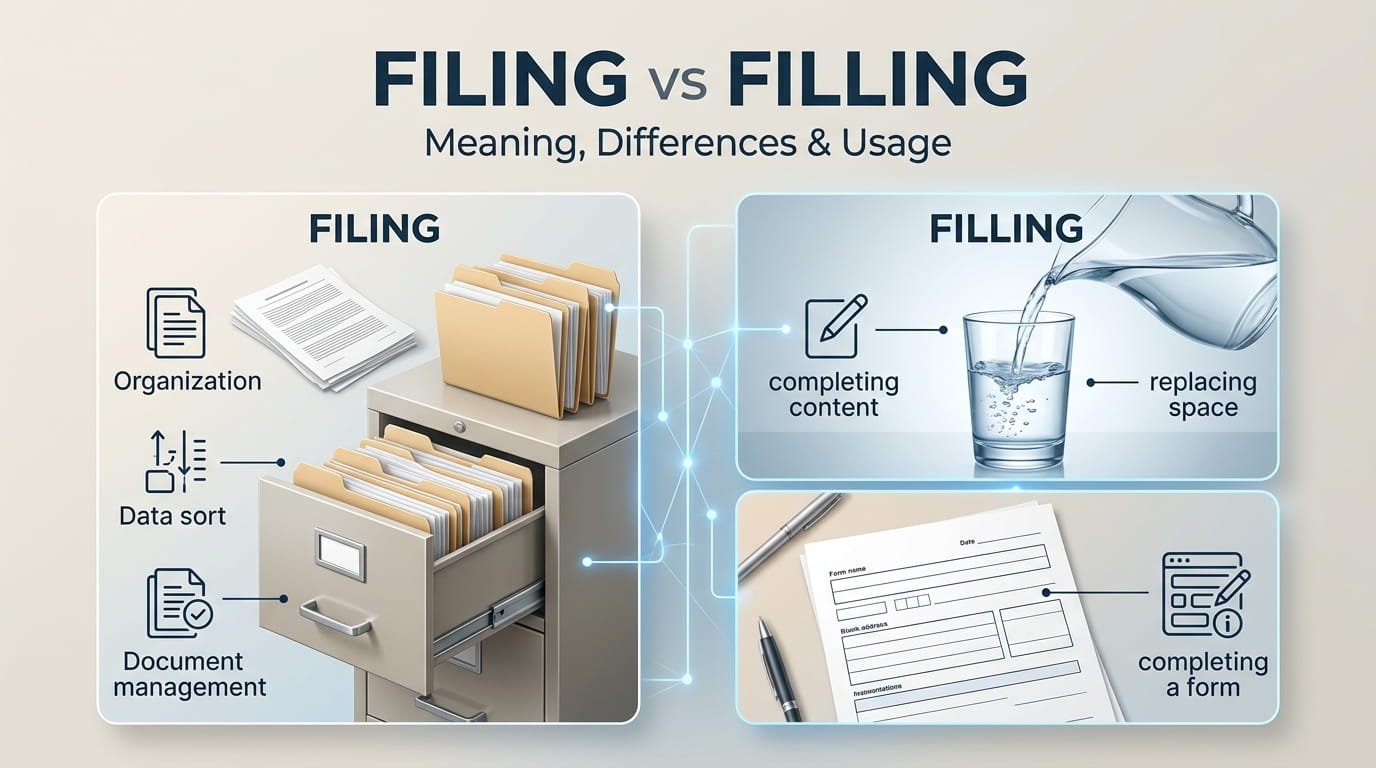
Filing vs Filling is a common English-language confusion because the two words look and sound very similar. However, they come from different verbs and describe different actions. Filing comes from file, usually referring to organizing, storing, or officially submitting documents. Filling comes from fill, meaning to make something full, add something to a space, or complete something such as a form.

The distinction becomes especially important in workplace emails, tax documents, legal writing, applications, and everyday communication. For example, you file a tax return, but you fill out a tax form. You file a complaint, but you fill in the details.

This guide explains the difference between filing and filling, shows how each word works grammatically, provides practical examples, and covers the mistakes that commonly cause confusion.

Filing vs Filling: The Basic Difference

The easiest way to distinguish the two words is to look at their root verbs:

  • File → filing: organizing, storing, or officially submitting something.
  • Fill → filling: making something full, adding material, or completing blanks.
Word Root verb Main meaning Common examples
Filing File Organizing or submitting documents Filing taxes, filing records
Filling Fill Making something full or completing it Filling a bottle, filling out a form
File File Organize, submit, or smooth with a tool File documents, file a complaint
Fill Fill Put something into a space or complete something Fill a container, fill in details

The difference is only one letter, but the meaning changes completely. Grammar references similarly distinguish filing as the present participle of file from filling as the present participle of fill.

What Does “Filing” Mean?

Filing is the -ing form of the verb file. Its most common meanings involve documents, records, information, or official submissions.

Filing documents

In an office, filing usually means organizing documents so they can be stored and retrieved later.

For example:

  • She is filing the invoices by date.
  • The assistant spent the morning filing records.
  • We are filing the documents in alphabetical order.

Here, filing does not mean making the documents full. It means putting them into an organized filing system.

Filing an official document

File also has an important formal meaning: to submit a document to an authority or organization.

Examples include:

  • filing a tax return
  • filing a lawsuit
  • filing a complaint
  • filing an application
  • filing a report
  • filing a claim
  • filing a motion

For instance:

The company is filing its annual report.

This means the company is officially submitting the report.

Similarly:

The attorney is filing a motion with the court.

The attorney is submitting the legal document through the appropriate process.

Filing as a physical process

There is another meaning of file that is less connected with paperwork. A file can be a tool used to smooth, shape, or remove material from a surface.

In that context, filing means using the tool.

For example:

  • He is filing the rough edge of the metal.
  • She spent several minutes filing her nails.

This meaning is easy to overlook because most people encounter filing in office or administrative contexts.

Filing as a noun

Filing can also function as a noun.

Examples include:

  • Filing documents takes time.
  • Electronic filing has reduced the need for paper records.
  • The company uses a digital filing system.

In these sentences, filing refers to the activity or process rather than simply describing an ongoing action.

What Does “Filling” Mean?

Filling is the -ing form of fill. Its central idea is adding something to a space, container, position, or requirement.

Examples include:

  • filling a glass with water
  • filling a tank with fuel
  • filling a box with books
  • filling a room with furniture
  • filling out an application

The basic concept is making something full or supplying what is needed.

Filling a physical container

This is one of the clearest uses of filling.

For example:

She is filling the bottle with water.

The person is putting water into the bottle.

Other examples:

  • He is filling the bucket with sand.
  • They are filling the tank with fuel.
  • I am filling my cup with coffee.

In each case, something is being added to a container.

Filling a space

Fill does not always involve a physical container.

A room, stadium, parking lot, or other space can also fill.

Examples:

  • The audience filled the theater.
  • People are filling the waiting room.
  • The smell of coffee filled the kitchen.

Here, filling means occupying or spreading throughout available space.

Filling in information

The word filling also appears frequently with forms and applications.

Examples:

  • filling in a form
  • filling in missing information
  • filling in the blanks
  • filling out an application
  • filling out a registration form

This is where confusion with filing becomes particularly common.

Completing a form and officially submitting it are two different actions.

You might:

  1. Fill out the application.
  2. Review the information.
  3. File the application with the relevant organization.

The exact process varies by context, but the language distinction remains useful.

Filing vs Filling in Forms

Forms create one of the biggest areas of confusion.

Suppose a university gives you an application form. You enter your name, address, qualifications, and other required information.

You are filling out or filling in the form.

After completing it, you may need to submit it. Depending on the context, that submission could be described as filing the application.

American English: “fill out”

American English commonly uses fill out a form.

Example:

Please fill out the application form before Friday.

British English: “fill in”

British English commonly uses fill in a form.

Example:

Please fill in the application form before Friday.

Both expressions refer to completing the required information. They should not be confused with filing, which generally refers to submitting or organizing documents.

This distinction is particularly useful for international English learners because the choice between fill in and fill out can vary by regional usage, while file retains its separate meaning.

Filing vs Filling in Tax Situations

Tax-related language is another area where the difference matters.

The standard expression is:

filing a tax return

For example:

I am filing my tax return this week.

This means officially submitting the tax return to the relevant tax authority.

However, you might fill out a tax form before filing it.

For example:

I spent an hour filling out the tax form before filing my return.

The two actions can therefore occur during the same process:

Fill out the form → review it → file the return.

Calling the entire process “filling taxes” is generally incorrect in standard English. Tax filing is the established expression for the submission process.

Filing vs Filling in Legal English

Legal writing makes the distinction especially important.

Legal professionals commonly use file for official submissions.

Examples:

  • filing a lawsuit
  • filing a complaint
  • filing a motion
  • filing an appeal
  • filing legal documents
  • filing a claim

Consider these two sentences:

The lawyer is filing a complaint.

This means the lawyer is officially submitting the complaint.

The lawyer is filling out the complaint form.

This means the lawyer is entering the required information into a form.

The actions may happen one after another, but they are not the same.

Using filling instead of filing in a legal context can therefore change the intended meaning.

Common Examples of Filing

Here are some natural examples of filing:

Office examples

  • She is filing the invoices.
  • The records are being filed by department.
  • He handles the filing for the company.
  • We are filing old documents electronically.

Legal examples

  • The attorney is filing a motion.
  • The company filed a complaint.
  • The claimant is filing an appeal.

Financial examples

  • She is filing her tax return.
  • The business filed its annual report.
  • The accountant completed the filing before the deadline.

General examples

  • The documents are ready for filing.
  • Digital filing makes records easier to retrieve.
  • Proper filing helps prevent documents from being lost.

Common Examples of Filling

Now compare those examples with filling:

Containers

  • She is filling the bottle with water.
  • He is filling the tank.
  • They are filling the boxes with supplies.

Spaces

  • The crowd is filling the stadium.
  • The room is filling with smoke.
  • New employees are filling the available seats.

Forms

  • She is filling out an application.
  • He is filling in the missing details.
  • Please fill in the blank.

Food

  • The chef is filling the pastry with cream.
  • They are preparing the filling for the cake.
  • The sandwich has a vegetable filling.

Dentistry

A filling can also refer to a material used to repair a tooth after decay has been removed. This is another noun meaning that has nothing to do with document filing.

Filing vs Filling: Grammar and Word Forms

Understanding the root verbs makes the spelling easier.

File

Common forms include:

  • file
  • files
  • filed
  • filing

Example:

She files the documents every Friday.

She is filing the documents now.

Fill

Common forms include:

  • fill
  • fills
  • filled
  • filling

Example:

He fills the bottles every morning.

He is filling the bottles now.

Notice the spelling difference in the -ing forms:

file + ing = filing

fill + ing = filling

The final e in file is dropped before adding -ing, while the double l in fill remains.

Why Is “Filing” Spelled With One L?

This is a useful spelling point for English learners.

The base verb is file, not fill. When adding -ing, the final silent e is normally removed:

file → filing

Compare:

  • make → making
  • write → writing
  • use → using
  • file → filing

By contrast, fill already ends in two consonant letters:

fill → filling

So:

  • filing = one l
  • filling = two ls

That spelling difference reflects their different base verbs rather than being an arbitrary variation.

Filing vs Filling: Quick Comparison

Situation Correct word Example
Organizing documents Filing Filing the records
Submitting taxes Filing Filing a tax return
Submitting a legal complaint Filing Filing a complaint
Putting water into a bottle Filling Filling the bottle
Completing an application Filling Filling out an application
Adding food to pastry Filling Filling the pastry
Making a room occupied Filling Filling the room
Organizing digital records Filing Filing electronic documents

The simplest rule is:

Documents, records, and official submissions → filing.

Making something full or completing information → filling.

The Important Difference Between “Filling a Form” and “Filing a Form”

This deserves special attention because both expressions can appear in discussions about paperwork.

Filling out a form means entering the requested information.

I am filling out the registration form.

Filing a document generally means submitting or officially recording it.

I am filing the completed application.

So a person can potentially do both.

For example:

Maria filled out the application and filed it with the university.

This sentence clearly separates the two actions: Maria completed the information first and then submitted the application.

In some contexts, people may say fill in a form rather than fill out a form, particularly in British English. Both refer to completing the form rather than officially filing it.

Common Mistakes With Filing and Filling

Because the words are so similar, several mistakes appear frequently.

Mistake 1: “Filling taxes”

Incorrect:

I am filling my taxes.

Better:

I am filing my taxes.

For the official submission process, filing is the appropriate word.

Mistake 2: “Filling a complaint”

Incorrect:

She is filling a complaint against the company.

Better:

She is filing a complaint against the company.

The complaint is being officially submitted, so filing is appropriate.

Mistake 3: “Filing a bottle”

Incorrect:

He is filing the bottle with water.

Better:

He is filling the bottle with water.

The action involves putting water into a container.

Mistake 4: “Filing out an application”

Incorrect:

Please file out this application.

Better:

Please fill out this application.

The applicant needs to complete the information, so fill out is correct.

Mistake 5: “Filling documents in a cabinet”

Usually incorrect when the intended meaning is organizing records.

Better:

She is filing the documents in the cabinet.

The documents are being organized into a filing system.

A Simple Memory Trick

A quick way to remember the difference is to connect each word to its root:

FILING → FILE → DOCUMENTS

Think of a filing cabinet full of folders.

FILLING → FILL → FULL

Think of filling a glass until it contains what you need.

Another useful pair is:

  • File a complaint
  • Fill out a form

If you remember those two expressions, many similar situations become easier.

When the Context Changes the Meaning

One overlooked point is that neither word is limited to a single situation.

Filing can refer to:

  • document organization
  • official submission
  • electronic records
  • financial reporting
  • legal paperwork
  • smoothing material with a file

Filling can refer to:

  • containers
  • rooms and spaces
  • forms
  • blanks
  • food
  • dental restorations
  • satisfying a need or requirement

So the best way to choose between them is not simply to memorize a list. Ask what action is actually taking place.

Is something being organized or officially submitted?

Use filing.

Is something being made full or completed with information/material?

Use filling.

A Practical Test for Choosing the Correct Word

When writing an email, report, assignment, or application, use this three-step test.

Step 1: Identify the root verb

Ask whether the action comes from file or fill.

Step 2: Identify the object

If the object is a complaint, tax return, legal document, record, or report, filing may be appropriate.

If the object is a bottle, room, container, blank, or form being completed, filling may be appropriate.

Step 3: Check the purpose

This is the most reliable test.

If the purpose is submission or organization, choose filing.

If the purpose is completion or adding something, choose filling.

For forms, remember that you can fill them out and later file them. That is why simply looking at the word “form” is not always enough.

A Less Obvious Meaning of “Filing”

Most people associate filing with paperwork, but filing can also describe particles produced by a file or similar tool.

For example:

Metal filings covered the workbench.

Here, filings are small particles removed from a material during filing. This is a completely different meaning from administrative filing.

This distinction shows why context matters even when the spelling stays exactly the same.

A Less Obvious Meaning of “Filling”

Filling can also be a noun rather than an action.

For example:

The pie has an apple filling.

Here, filling means the material placed inside something.

It can also describe food that satisfies hunger:

The meal was surprisingly filling.

And in dentistry:

The dentist replaced the old filling.

These meanings all connect to the central idea of fill: something is being added, occupied, or made complete.

Filing vs Filling in Digital Workplaces

The distinction remains relevant even though many modern records are digital.

A company might use cloud storage or document-management software rather than physical filing cabinets. Employees can still file documents, because filing refers to organizing or recording information, not necessarily placing paper into a cabinet.

For example:

The team is filing invoices in the company’s digital archive.

By contrast:

The employee is filling out an online expense form.

The first sentence concerns document organization. The second concerns entering information into a form.

This is a useful distinction because the physical environment has changed, but the meanings of the verbs have not.

Is Filing the Same as Submitting?

Not always.

In many contexts, filing means officially submitting or recording something, particularly with an authority or organization. But file also has the separate meaning of organizing documents.

For example:

She filed the reports in a cabinet.

Here, she organized them.

She filed the report with the agency.

Here, she officially submitted it.

The surrounding context tells you which meaning applies.

Are Filing and Filling Interchangeable?

No. Filing and filling are not interchangeable.

Although their pronunciation can be similar, their meanings are distinct.

Compare:

He is filing the report.

This means he is organizing or submitting the report, depending on context.

He is filling the report.

This would normally suggest that he is putting something into the report, and in many contexts it would sound unnatural. If the intended meaning is completing a form or entering information, filling out or filling in is usually clearer.

Likewise:

She is filing a complaint.

means officially submitting a complaint.

She is filling a complaint.

does not convey that standard meaning.

FAQs About Filing vs Filling

What is the main difference between filing and filling?

Filing comes from file and generally means organizing documents, records, or officially submitting something. Filling comes from fill and means making something full, adding material to a space, or completing information. For example, you file a tax return but fill out a tax form.

Is it “filing taxes” or “filling taxes”?

The standard expression is filing taxes or, more precisely in many contexts, filing a tax return. Filing refers to officially submitting tax information to the relevant authority. You may fill out tax forms before filing the return, so both words can describe different parts of the same process.

Do you fill out or file a form?

You normally fill out a form in American English and commonly fill in a form in British English. This means completing the requested information. If the completed form is then officially submitted or recorded, it may be filed, depending on the procedure.

Is “filing a complaint” correct?

Yes. Filing a complaint is the standard expression when someone formally submits a complaint to an organization, court, agency, or other authority. “Filling a complaint” is generally incorrect when the intended meaning is formal submission.

Why are filing and filling easy to confuse?

The words have very similar pronunciations, particularly in fast speech, and differ visually by only one letter. They also frequently appear in related administrative situations, such as forms and applications. Their meanings, however, come from different verbs: file means to organize or submit, while fill means to make full or complete.

Is “filling in a form” correct English?

Yes. Filling in a form is standard English, especially in British usage. It means entering the required information. American English commonly uses filling out a form for the same purpose. Neither expression normally means officially submitting the completed form.

Can filling be a noun?

Yes. Filling can be a noun referring to something placed inside another thing, such as a pie filling or sandwich filling. It can also refer to a dental filling. In contrast, filing can refer to the activity of organizing or submitting documents and, in another context, small particles removed by a file.

Conclusion

The difference between Filing vs Filling becomes straightforward once you focus on their root verbs. Filing comes from file and is associated with organizing records, storing documents, or making an official submission. Filling comes from fill and describes making something full, adding material, or completing information.

The most useful memory rule is simple: file documents; fill spaces and forms. You file a complaint, file a tax return, and file records. You fill a bottle, fill a room, and fill out or fill in a form.

Although the words sound similar, they are not interchangeable. Choosing the correct one depends on the action and purpose described by the sentence.

Continue Reading

Education

What Does “Mean in Text” Really Mean? : A Clear Guide

Published

on

What Does “Mean in Text” Really Mean explained with text message examples

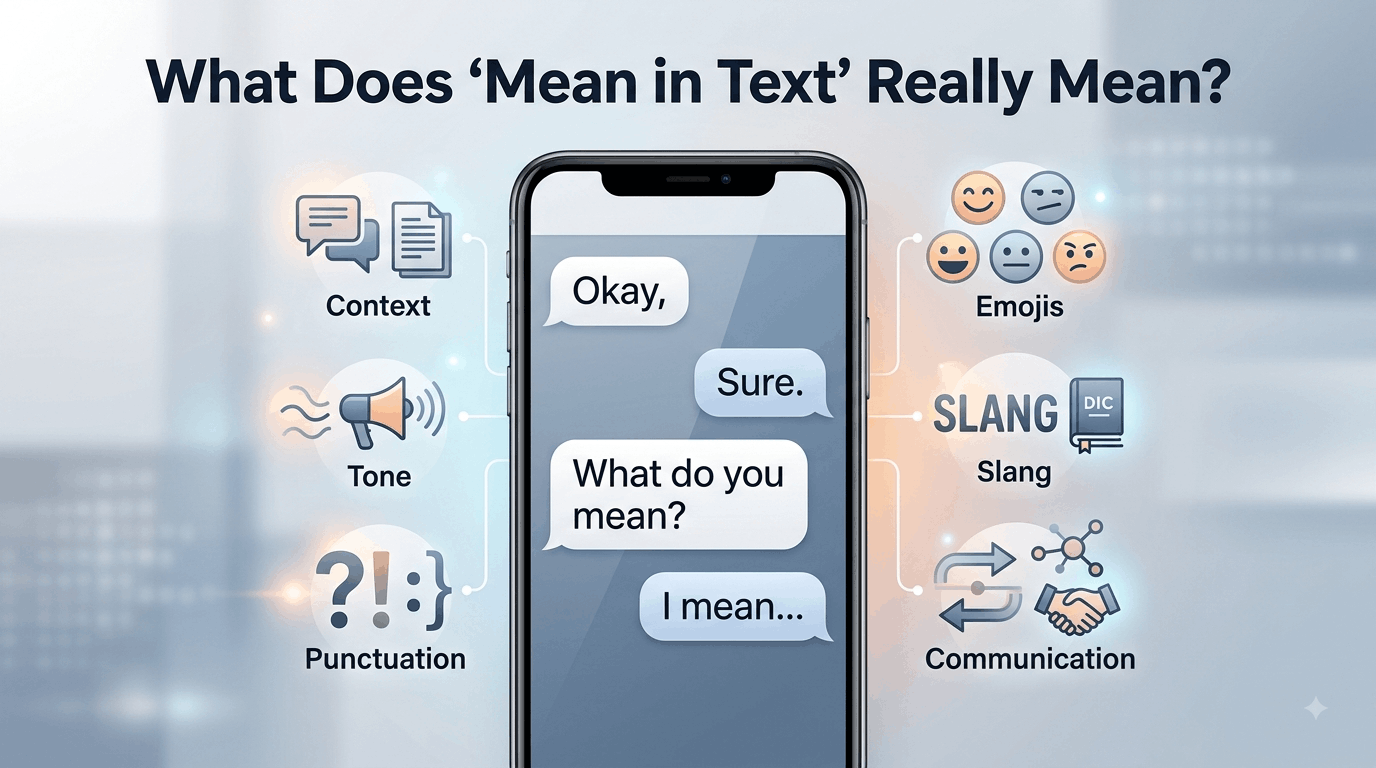
When someone searches “What Does ‘Mean in Text’ Really Mean?”, they are usually trying to understand what a word, phrase, abbreviation, emoji, or message is intended to communicate. In texting, “mean” can refer to a literal definition, a person’s intention, emotional tone, or even whether a message sounds rude.

The key is context. A short reply such as “okay,” “fine,” or “sure” does not automatically have one fixed emotional meaning. The relationship between the people, the previous messages, punctuation, timing, and even the sender’s usual writing style can change how the message is understood.

This guide explains the different meanings of “mean” in text, how to interpret tone, why misunderstandings happen, and how to respond when a message is unclear.

What Does “Mean in Text” Really Mean?

The phrase “What Does ‘Mean in Text’ Really Mean?” is slightly unusual as a standalone expression. In search queries, however, people generally use it to ask what a particular word, message, symbol, or phrase means when it appears in a text conversation.

There are several possible interpretations.

1. “Mean” as the definition of something

Someone may ask:

“What does LOL mean in text?”

Here, “mean” simply asks for the definition of LOL. The person wants to know what the abbreviation stands for and how people use it.

The same question can apply to:

  • Slang
  • Acronyms
  • Abbreviations
  • Emojis
  • Internet expressions
  • Symbols
  • Shortened words

2. “Mean” as someone’s intention

Consider the question:

“What did you mean by that?”

Here, “mean” refers to intention. The person is asking what the sender was trying to communicate.

This can be particularly important when a message has more than one possible interpretation.

3. “Mean” as unkind behavior

“Mean” can also be an adjective describing someone who behaves in a hurtful, rude, or unkind way.

For example:

“That was mean.”

In this sentence, the person is not asking for a definition. They are criticizing the tone or behavior behind a message.

4. “Mean” as an average

There is also a completely different mathematical meaning.

For example:

“The mean of 10, 20, and 30 is 20.”

Here, “mean” means the arithmetic average. This meaning is normally obvious from the surrounding context and is unrelated to texting slang.

Why Context Changes the Meaning of a Text

Text messages remove many of the signals people normally use during face-to-face conversations.

When people speak, they can hear:

  • Voice pitch
  • Volume
  • Pauses
  • Emphasis
  • Laughter
  • Hesitation

They can also see facial expressions and body language.

A text message removes most of those signals. As a result, readers have to infer tone from the words and the way they are presented.

For example:

“Okay”

could be completely neutral.

But:

“Okay.”

might feel more final or serious to some readers.

On the other hand, another person may use periods in every message and intend absolutely no negative tone.

This is why punctuation should be treated as a clue rather than proof of someone’s emotions.

The Four Main Meanings of “Mean” in Text

A useful way to understand the phrase is to separate definition, intention, tone, and implication.

Meaning What the person is asking Example
Definition What does this word or abbreviation stand for? “What does IDK mean in text?”
Intention What was the sender trying to say? “What do you mean?”
Tone Does the message sound rude, friendly, serious, or sarcastic? “Was she being mean?”
Implication Is there another idea behind the literal words? “What did he mean by that?”

These categories can overlap. A person might understand the literal definition of a message but still be unsure about the sender’s intention.

How Tone Works in Text Messages

Tone is one of the biggest reasons people search for explanations of text messages.

Suppose someone writes:

“Nice.”

Depending on context, that could mean genuine approval, mild enthusiasm, sarcasm, or indifference.

Now compare it with:

“Nice!! 😂”

The additional punctuation and emoji may make the message appear more enthusiastic or playful.

But there is no universal rule. People develop individual texting habits, and those habits can be more reliable than general assumptions about punctuation.

Message length can also affect perception

A person who normally sends long messages might suddenly respond:

“K.”

The short reply may feel unusual because it differs from their normal communication pattern.

However, a person who regularly uses short replies may simply be communicating normally.

The change from someone’s usual behavior can therefore be more informative than the individual word itself.

Common Texting Examples and Their Possible Meanings

“What do you mean?”

This usually asks the other person to clarify their statement.

Example:

Person A: “You already know why.”

Person B: “What do you mean?”

The second person is asking for more information.

“I didn’t mean that.”

Here, “mean” refers to intention.

The speaker is explaining that the message was interpreted differently from what they intended.

“That was mean.”

Here, “mean” describes behavior as hurtful or unkind.

It does not mean “definition” or “intention.”

“What does this mean?”

This is usually a straightforward request for clarification.

The question might concern a slang term, abbreviation, emoji, sentence, or unfamiliar expression.

“I mean…”

The expression “I mean” can introduce a clarification, correction, qualification, or additional thought.

For example:

“I mean, we could leave earlier if you want.”

It does not automatically indicate sarcasm or hostility. Its tone depends heavily on context and the relationship between the speakers. Discussions among English speakers also show that “I mean” can sometimes feel condescending in particular contexts, while remaining completely conversational in others.

Punctuation Can Influence How a Text Feels

Punctuation has a special role in digital communication because people sometimes use it to compensate for the lack of vocal tone.

Periods

A period can simply be normal grammar.

However, in some informal texting situations, a period at the end of a very short message may be perceived as unusually formal, serious, or even irritated.

That interpretation is not universal. Research and anecdotal discussion about texting show that people can perceive punctuation differently depending on age, habits, and context.

Exclamation marks

An exclamation mark can communicate enthusiasm:

“That’s great!”

It can also emphasize urgency or excitement.

But using several exclamation marks may produce a very different impression:

“WHAT!!!”

Again, context determines whether the effect is excitement, humor, surprise, or anger.

Ellipses

An ellipsis can indicate hesitation, an unfinished thought, or a pause:

“I thought you were going to…”

Some people also interpret ellipses as uncertainty or tension in informal messages.

The important point is that punctuation provides social cues, but those cues do not have fixed meanings in every conversation.

Emojis Can Change the Interpretation

Emojis often help communicate emotional information that words alone may not express.

Compare:

“Sure.”

with:

“Sure 😊”

The second version may appear warmer.

Likewise:

“Okay 😂”

can suggest that the sender is joking or responding playfully.

But emoji meanings can vary between communities, age groups, cultures, and platforms. A symbol that one person considers friendly may be interpreted differently by someone else.

Therefore, an emoji should not be treated as a universal translation.

Slang and Abbreviations Create Another Layer of Meaning

Texting has developed a large vocabulary of abbreviations and informal expressions.

Common examples include:

  • LOL — laughing out loud
  • BRB — be right back
  • IDK — I don’t know
  • TBH — to be honest
  • NGL — not gonna lie
  • FYI — for your information

The exact interpretation can still depend on context.

For example, “LOL” does not necessarily mean the sender is literally laughing. It can function as a conversational marker that makes a statement sound lighter or less serious.

This is one reason dictionary-style definitions are sometimes insufficient when interpreting digital language.

Why the Same Message Can Sound Friendly or Rude

Consider:

“You came.”

This could be a simple observation.

But depending on the previous conversation, it could also express surprise, relief, disappointment, or sarcasm.

Now consider:

“You actually came.”

The word “actually” changes the possible implication.

It might mean:

  • “I’m pleasantly surprised.”
  • “I wasn’t sure you would come.”
  • “I didn’t expect you to come.”
  • “I’m criticizing you for being late.”

The literal words alone do not provide enough information to determine which interpretation is correct.

A Better Way to Interpret an Unclear Text

Instead of immediately assuming what the sender intended, consider several factors.

1. Read the entire conversation

Do not interpret one sentence in isolation if previous messages are available.

The preceding conversation may explain an otherwise ambiguous response.

2. Consider the relationship

A close friend may use sarcasm that would sound rude coming from a coworker.

Similarly, a romantic partner, family member, colleague, and stranger may use the same words differently.

3. Compare the person’s normal style

Does the person usually use short messages?

Do they regularly use periods? or frequently use emojis?

Personal communication patterns provide useful context.

4. Look at the timing

A short response during a busy workday may simply mean the person is occupied.

It is risky to interpret a delayed or brief response as anger without additional evidence.

5. Ask for clarification when necessary

If the meaning genuinely matters, the simplest solution is often to ask.

For example:

“Just checking—what did you mean by that?”

Or:

“I’m not sure how to read that message. Can you clarify?”

This is usually more reliable than trying to decode every punctuation mark.

Common Misunderstandings About “Mean” in Text

A short message is not automatically rude

People may be busy, distracted, tired, or simply accustomed to concise communication.

A period does not automatically signal anger

Some people use conventional punctuation in every message.

An emoji does not guarantee a particular emotion

Emoji interpretation varies between people and communities.

“I mean” is not automatically passive-aggressive

It can simply introduce a clarification or conversational thought. The surrounding sentence and relationship matter.

Silence does not have one universal meaning

A person who does not reply may be busy, unsure how to respond, offline, or intentionally avoiding the conversation. Without additional context, the reason cannot be known with certainty.

Text Meaning Across Different Situations

The same wording can work differently depending on where it appears.

Situation What matters most Example
Friends Shared humor and personal habits “Sure 😂”
Family Familiar communication patterns “Okay, I’ll call later.”
Romantic conversation Emotional context and relationship history “Fine.”
Workplace Professional clarity and wording “Thanks, noted.”
Social media Community slang and platform culture “NGL, this is good.”
Group chats Audience and previous discussion “Wait, what?”

This distinction is especially useful when interpreting a message from someone whose communication style you do not know well.

Why People Overthink Text Messages

Texting encourages people to fill in missing information.

If someone says:

“We need to talk.”

the reader may immediately imagine a serious problem.

But the sentence itself does not specify what the conversation will concern.

The uncertainty comes from missing information, not necessarily from hidden hostility.

A useful rule is:

Separate what the message actually says from what you think the sender might mean.

That small distinction can prevent unnecessary misunderstandings.

When “Mean in Text” Has a Completely Different Meaning

Not every search involving the word “mean” is about texting tone.

The word has several established meanings in English.

Mean as a verb

It can describe intention:

“I mean what I said.”

Mean as an adjective

It can describe someone or something as unkind:

“That was a mean comment.”

Mean as a mathematical term

It can refer to an average:

“The mean of the numbers is 15.”

Mean as significance

It can indicate importance or significance:

“What does this decision mean for us?”

Recognizing the grammatical role of the word can quickly clarify which meaning applies.

The Most Important Clue Is Usually Context

One of the most overlooked aspects of digital communication is that there is no universal dictionary for tone.

Two people can receive the same message and interpret it differently.

For example:

“Sure.”

One reader may see agreement.

Another may see reluctance.

A third may see sarcasm.

The word itself has not changed. The surrounding context has.

This is why reliable interpretation should combine the actual words with the conversation, relationship, communication habits, and circumstances.

What Competitors Often Miss About Text Meaning

Many explanations of What Does “Mean in Text” Really Mean? focus mainly on slang and emojis. Those are useful, but they are only part of the problem.

A more important distinction is between literal meaning and inferred meaning.

Suppose someone writes:

“You’re early.”

The literal meaning is that the person arrived before an expected time.

The inferred meaning could be:

  • Genuine praise
  • Surprise
  • Sarcasm
  • Criticism
  • Simple observation

There is no reliable way to select one interpretation from the sentence alone.

The “baseline” matters

A particularly useful approach is to compare the message with the sender’s normal behavior.

If someone normally writes:

“Hey! How are you? 😊”

and suddenly sends:

“Hey.”

the change may be worth noticing.

But if that person always writes short messages, there may be nothing unusual at all.

This is a better approach than assigning fixed emotional meanings to individual punctuation marks or words.

How to Respond When You Are Unsure What Someone Means

If the message is low-stakes, you can simply respond normally and see how the conversation develops.

If clarification matters, ask directly.

Useful responses include:

  • “What do you mean?”
  • “Can you clarify what you mean by that?”
  • “Did you mean that seriously?”
  • “I’m not sure how you meant that.”
  • “Just checking—was that a joke?”
  • “I might be reading this wrong. What did you mean?”

These responses avoid making an accusation while giving the other person an opportunity to explain.

FAQs About What Does “Mean in Text” Really Mean?

What does “mean” usually mean in texting?

In texting, “mean” can refer to several things. It may ask for the definition of a word or abbreviation, describe someone’s unkind behavior, or refer to the intention behind a message. The exact meaning depends on the sentence and surrounding conversation.

Does “mean” mean rude in text?

Not necessarily. “Mean” can describe someone as rude or unkind, as in “That was mean.” However, in “What do you mean?” the word refers to intention, not rudeness. Context and grammar determine which meaning applies.

Why can a simple text sound rude?

Texting removes vocal tone, facial expressions, and body language. Readers therefore rely more heavily on wording, punctuation, message length, and emojis. A short response such as “fine” may sound neutral to one person but annoyed to another. Personal communication habits also influence interpretation.

Does a period make a text sound angry?

A period does not automatically mean anger. Some people use standard punctuation in every message. In certain informal conversations, however, a period after a very short response can feel more formal or serious. The sender’s normal writing style and the surrounding conversation provide better clues than punctuation alone.

What does “I mean” mean in a text?

“I mean” commonly introduces a clarification, correction, qualification, or additional thought. For example, “I mean, we could leave now” suggests the writer is adding or refining an idea. It does not automatically mean the person is being sarcastic, rude, or passive-aggressive.

How can I tell if someone is being sarcastic over text?

There is no foolproof method. Look at the surrounding conversation, the person’s normal communication style, word choice, emojis, punctuation, and whether the statement conflicts with the obvious situation. If the distinction matters, asking for clarification is more reliable than assuming sarcasm.

Why does the same text mean different things to different people?

People bring different experiences, communication habits, relationships, and expectations to digital conversations. Because text lacks many nonverbal cues, readers may infer tone differently. A phrase that sounds friendly to one person may sound cold or sarcastic to another.

Conclusion

What Does “Mean in Text” Really Mean? depends on what the person is trying to understand. The word “mean” can refer to a definition, intention, emotional tone, unkind behavior, or even a mathematical average.

When interpreting messages, do not rely on one word, emoji, or punctuation mark alone. Look at the complete conversation, the relationship, the sender’s normal communication style, and the situation. When the meaning remains unclear, a simple clarification is usually more accurate than guessing.

The biggest takeaway is simple: text has words, but context gives those words their meaning.

Continue Reading

Education

How Equal Protection Shapes School Opportunity And Workplace Access

Published

on

equal protection initiative

Equal protection is not only a constitutional principle or a courtroom issue. It shapes whether people can understand an application, reach a school program, compete for a job, report a concern, or move into leadership. The equal protection initiative offers a useful reminder that removing barriers to education and economic opportunity remains an ongoing responsibility.

For schools, employers, and public institutions, the central question is simple: does the process give qualified people a real and fair chance to take part? Answering it requires more than good intentions. It requires leaders to examine how policies work in everyday life.

What Equal Protection Means In Daily Life

In plain language, equal protection means public rules and decisions should not unfairly deny people opportunities because of who they are. Equal treatment and equal access are related, but they are not identical. Giving everyone the same form may look fair, for example, but it does not create equal access if the form is difficult to read, available only online, or offered in only one language.

Neutral-looking rules can still create unequal results. A school referral process may depend too heavily on personal recommendations. A job requirement may screen out candidates even though it is unrelated to the actual work. Fair review considers both the written policy and its real-world effect on students, applicants, workers, and families.

How Schools Can Improve Access

Schools can begin by reviewing admissions, discipline, gifted-program, and advanced-course procedures. Leaders should ask whether transportation, meals, technology, tutoring, counseling, and family communication are easy to access. Notices and applications should use plain language, clear deadlines, and translations that reflect the school community.

Staff training also matters. Teachers and administrators should understand how bias can influence referrals, classroom participation, and discipline decisions. Families need a clear, respectful way to ask questions, request support, or challenge a decision. Tracking access should never reduce children to numbers. The purpose is to find gaps, improve support, and check whether changes are working.

How Employers Can Build Fairer Systems

Fairness at work starts before an interview and continues through promotion. Employers can write job descriptions around real duties, use consistent interview questions, publish pay ranges where appropriate, and explain what employees must demonstrate to advance. They should also review who receives mentoring, training, stretch assignments, and visible projects.

Workers need more than one safe option for reporting concerns, particularly when a supervisor may be involved. Employers should also test whether schedules, attendance policies, buildings, digital tools, or transportation expectations create unnecessary barriers for caregivers, disabled workers, or people with limited travel options. Before changing civil rights-related policies, organizations should review current guidance, including this Title VI update.

Why Good Data Matters

Data can show where people lose access to enrollment, hiring, pay, retention, discipline, promotion, or services. Numbers should be reviewed across groups to identify patterns, not to make assumptions about any individual. Pair quantitative findings with interviews, surveys, complaint trends, and community feedback.

A useful review checklist asks:

  • Who receives the opportunity, and who is missing?
  • At what step does the process lose people?
  • What may explain the gap?
  • What change can be tested next, and when will the results be reviewed?

Common Barriers That Go Unnoticed

Many barriers do not announce themselves as discrimination. They may appear as complicated forms, unclear deadlines, interviews held only during work hours, unpaid internships, costly application steps, limited internet access, or outdated technology. Other examples include discipline rules with excessive personal discretion, degree requirements unrelated to job duties, inaccessible meetings or websites, and policies that overlook language, disability, caregiving, or transportation needs.

A Practical Action Plan For Leaders

  1. Map the process:List every step a person must complete to receive an opportunity or service.
  2. Find pressure points:Identify confusion, delay, cost, inaccessible tools, and unnecessary exclusions.
  3. Ask affected people:Seek feedback from students, families, applicants, employees, and community partners.
  4. Test one change:Start with a practical pilot, such as simplified forms or expanded appointment times.
  5. Track results:Review participation, completion, satisfaction, complaints, and appeal outcomes.
  6. Share an update:Explain what changed, what worked, and what still needs attention.

Examples Readers Can Use

  • School example:A district sees advanced-course enrollment decline at the referral stage. It opens applications to all interested students, holds family information sessions, and reviews placement data each term.
  • Workplace example:An employer finds that qualified employees leave before reaching management. It publishes promotion expectations and adds structured career conversations.
  • Community example:A public program receives few applications from eligible residents. It expands outreach through libraries, schools, and neighborhood organizations.

Common Questions About Equal Opportunity

Does Fair Treatment Mean Everyone Receives The Exact Same Support?

No. Fair treatment can mean removing different barriers for different people. The goal is a fair chance to participate, not identical assistance in every situation.

Can Schools And Employers Still Use Standards?

Yes. Standards should be tied to real academic or job requirements, applied consistently, and reviewed regularly to make sure they do not create avoidable barriers.

Why Review Neutral Policies?

A neutral rule can still burden one group more heavily than another. Regular review helps leaders notice problems early and make thoughtful improvements before exclusion becomes routine.

Where Can Readers Find Government Updates?

The Department of Justice maintains an Educational Opportunities Section news page with education-related civil rights updates. Because laws and agency guidance can change, complex situations may require advice from a qualified professional.

How To Measure Progress

  • Compare participation and completion rates before and after changes.
  • Review wait times, complaints, appeals, and user feedback.
  • Check whether progress reaches different locations and income levels.
  • Set a future review date rather than treating any policy as permanently finished.

A Fairer Path Forward

Equal protection is built through daily choices. Schools, employers, and public institutions can create fairer access by using clear rules, listening carefully, studying outcomes, and correcting barriers that block participation. A fair system cannot promise the same result for everyone, but it can create a stronger and more genuine chance for every person to move forward.

Continue Reading

Trending

Contact Us Email:- Team3brothers.uk@gmail.com