
Gaming
500+ Funny Gamertags for Xbox, PlayStation & PC

A good username can make you memorable before the match even starts. If you want something that gets a laugh instead of sounding like another generic “xXShadowKillerXx,” these 500+ Funny Gamertags for Xbox, PlayStation & PC give you plenty of options. The ideas below cover puns, self-roasts, food jokes, gaming references, short names, duo tags, random humor, and platform-friendly styles.
The goal is not simply to find a funny name. A strong gamertag should also be easy to read, easy to remember, and suitable for the platform where you plan to use it.
What Makes a Funny Gamertag Actually Good?
The funniest gamertags usually work because the joke is easy to understand. A complicated reference that takes several seconds to decode may not have the same impact as a short name with an obvious punchline.
Good funny gamertags often use:
- Wordplay and puns
- Self-deprecating humor
- Food references
- Gaming terminology
- Unexpected combinations
- Absurd or random ideas
- Friendly trolling
- Everyday situations
- Short phrases
- Deliberately ironic names
Current gamertag lists also tend to organize names by humor style, platform, length, and audience rather than offering one undifferentiated list.
500+ Funny Gamertags for Xbox, PlayStation & PC
Here is a large collection divided into categories so you can find a name that matches your personality.
Funny Gamertags for Xbox
- LagAndOrder
- XboxSnack
- ButtonGoblin
- ControllerChef
- RespawnTax
- Lagzilla
- PixelPanic
- AFKAgain
- NoAimAllowed
- OopsIDied
- PressRespawn
- SnackAttack
- WiFiWarrior
- LoadingLegend
- PotatoAim
- RageQuitChef
- CouchCommander
- ControllerGremlin
- AimOptional
- PingProblems
- GameOverBro
- LootGoblin
- RespawnAgain
- ButtonMasher
- LagLord
- CasualCarry
- AlmostPro
- FakeChampion
- DefinitelyAFK
- XboxNoodle
- PixelPanic
- ControllerFail
- NoobWithPlans
- SkillIssuePro
- RespawnIntern
- LobbyLurker
- AimNotFound
- XPWasWasted
- SnackBeforeRank
- GamerWithBills
Funny PlayStation Gamertags
- PSNoodle
- DualShockDoc
- TrophyGoblin
- PlatinumNoob
- PSnapAttack
- ButtonBandit
- LoadingHero
- TrophyHunterX
- CouchSniper
- ControllerChaos
- LagStation
- RespawnStation
- AlmostPlatinum
- TrophyFailure
- AnalogAddict
- StickDrifter
- MenuMaster
- SavePointCEO
- LoadingAgain
- PSNinjaNoob
- ConsoleClown
- TrophyTax
- AimlessGamer
- DigitalPotato
- DualShockFail
- PlatinumPanic
- SpawnCampingDad
- RespawnRoyalty
- ButtonOverlord
- PS5Problems
Funny PC Gamertags
- KeyboardNinja
- MousePotato
- AltF4Champion
- CtrlAltDefeat
- GPUisCrying
- RAMRaccoon
- CPUOverheated
- DriverUpdate
- PingWizard
- LoadingScreenPro
- KeyboardGremlin
- MouseMisclick
- FPSDropper
- SteamAndScream
- DesktopGoblin
- WiFiOnLifeSupport
- PatchDayVictim
- UpdateRequired
- KeyboardWarrior
- MouseDestroyer
- MonitorSnack
- GPUGoblin
- FrameRateFarmer
- LaggingLegend
- DriverPlease
- AltF4Enjoyer
- TaskManagerMain
- WindowsRespawn
- PCPotato
- RGBAndRegret
Short Funny Gamertags
Short names are useful when you want something easy to read in a kill feed or multiplayer lobby.
- Oops
- NoAim
- Laggy
- Boop
- Bonk
- Derp
- Noodle
- Potato
- Womp
- Yeet
- Oof
- Bruh
- Beans
- Nope
- Lmao
- Whoops
- Clown
- Botty
- Bonkers
- Goober
- Wobble
- Bloop
- Zonk
- Flop
- Pogo
- Toast
- Nugget
- Pickle
- Muffin
- Donut
Self-Deprecating Funny Gamertags
Sometimes the easiest person to make fun of is yourself. Self-roasting names are funny without targeting another player.
- IMissedAgain
- BadAimEnjoyer
- TriedMyBest
- AlmostUseful
- CertifiedNoob
- AimNeedsWork
- CarriedAgain
- LostOnPurpose
- AccidentallyWon
- ZeroGameSense
- MissedTheShot
- NegativeKDA
- RespawnExpert
- ProfessionalNoob
- BenchWarmer
- WorstOnTeam
- StillLearning
- PanicShooter
- AimOptional
- ClutchPending
- SkillLoading
- MaybeNextMatch
- AlmostCarried
- LuckBased
- OneKillWonder
- KDAWho
- CannotAim
- DefinitelyNotPro
- BronzeEnergy
- UnrankedHero
Food-Themed Funny Gamertags
Food names work especially well because they create unexpected combinations with gaming terms.
- TacoHeadshot
- PizzaSniper
- DonutDestroyer
- NachoGamer
- BurritoBoss
- PotatoSniper
- ToastedNoob
- WaffleWarrior
- PancakePilot
- NuggetNinja
- PicklePro
- CookieCamper
- MuffinMaster
- CheeseChampion
- BaconBandit
- PastaPlayer
- SushiSniper
- BurgerBoss
- HotdogHero
- PopcornPro
- CerealKiller
- SandwichSniper
- GarlicGamer
- SpicyNoob
- NachoAverage
- FriesBeforeFights
- HungryHeadshot
- SnackRespawn
- PizzaAfterRanked
- TacoReload
Pun-Based Funny Gamertags
Puns remain one of the safest ways to create humor without relying on offensive language.
- GameOfThrows
- CtrlAltDefeat
- LagAndOrder
- MissionImprobable
- AimForTheStars
- LootAndBehold
- RespawnAndRepeat
- PingFloyd
- TheWalkingLag
- LordOfThePings
- GameOverThinker
- LagToTheFuture
- GrandTheftAutoAim
- MissionUnpossible
- FastAndCurious
- ThePingKnight
- ReturnOfTheLag
- NoCountryForOldMen
- LordOfTheRingside
- ByteMeMaybe
Random Funny Gamertags
Random combinations can be fun precisely because they make little sense.
- AngryBanana
- SuspiciousToast
- DancingPotato
- NervousPickle
- ConfusedPenguin
- InvisibleMuffin
- EmotionalSpoon
- LoudCucumber
- SleepyTurtle
- AggressivePancake
- SneakyToaster
- ConfusedNugget
- CosmicPotato
- BoredDinosaur
- ShyTaco
- SeriousBanana
- RunningSpoon
- BrokenPenguin
- DramaticToast
- PoliteGoblin
- LazyLobster
- NervousChicken
- TurboPickle
- GrumpyMuffin
- ConfusedWaffle
- SleepyNoodle
- AngryMarshmallow
- FlyingBurrito
- InvisiblePotato
- SuspiciousDonut
Funny Gamertags for Guys
- DadBodGamer
- BrokeTheMeta
- BrokeMyController
- GuyWithNoAim
- DadReflexes
- SnackPowered
- WeekendWarrior
- CoffeeCarry
- CouchChampion
- RespawnBro
- BroNeedsAim
- AverageDude
- GamerUncle
- UncleLag
- DadMode
- AlmostHandsome
- BrokeButGaming
- SleepyBro
- PizzaBro
- ControllerDad
Funny Gamertags for Girls
- PixelPrincess
- LaggyLady
- QueenOfOops
- SnackQueen
- PotatoPrincess
- ButtonQueen
- TrophyTrouble
- MissClickQueen
- ChaosQueen
- LootLady
- RespawnQueen
- WaffleQueen
- PixelNoodle
- GamingGoober
- AimlessQueen
- ClutchMaybe
- ControllerQueen
- FunnyAFK
- LobbyQueen
Funny Gamertags for Adults
Adult gamers often prefer names based on work, bills, sleep, coffee, and everyday responsibilities.
- BillsBeforeKills
- MortgageGamer
- TaxSeasonPro
- CoffeeBeforeKills
- MeetingAFK
- OvertimeGamer
- SleepDebtPro
- WorkThenGame
- LunchBreakLegend
- WeekendRespawn
- BossFightMonday
- EmailThenAim
- MeetingSurvivor
- DeadlineDodger
- AdultingAFK
- CoffeePowered
- BackPainGamer
- BedtimeDelayed
- ResponsibleNoob
- RentDueGamer
Funny Duo Gamertags
Matching names can make a two-player squad instantly recognizable.
| Player 1 | Player 2 |
|---|---|
| WiFiDied | StillConnected |
| BadAim | WorseAim |
| TacoTime | PizzaTime |
| LeftBrain | RightBrain |
| Respawn | Again |
| Salt | Pepper |
| Peanut | Butter |
| Ctrl | Alt |
| Ping | Pong |
| Copy | Paste |
| Dumb | Dumber |
| Panic | MorePanic |
| Loot | Goblin |
| Batman | Taxman |
| Toast | Butter |
| OneBrain | NoBrain |
| PlayerOne | PlayerTwo |
| Camp | Counselor |
| Fast | Confused |
| Win | Maybe |
Funny Gamertags for Best Friends
- BrokeTheLobby
- TwoBrainCells
- SharedWiFi
- DoubleTrouble
- ChaosPartners
- CertifiedDuo
- RespawnBuddies
- LootPartners
- PanicSquad
- SnackSquad
- NoPlanSquad
- AccidentalPros
- WorstTeamEver
- LobbyClowns
- ButtonBuddies
- LagPartners
- ControllerBros
- PotatoPartners
- ChaosAndOrder
- OnePlanZeroAim
Dark-Humor-Style Gamertags Without Offensive Language
Dark humor can stay playful without targeting protected groups, real people, or using slurs.
- RespawnSoon
- GrimWiFi
- DeadBattery
- MidnightNoob
- DoomAndZoom
- GhostedAgain
- LoadingForever
- LastLifeLeft
- RespawnPending
- PixelFuneral
- RIPMyKDA
- SleepIsDead
- HopeIsAFK
- LuckHasLeft
- VictoryMissing
- MoraleOffline
- TeamSpirit404
- WinningOptional
- MotivationExpired
- SkillDeceased
Cute and Silly Gamertags
- TinyNoodle
- FluffyPotato
- BabyWaffle
- SleepyBean
- LittlePickle
- CozyGoblin
- SoftNugget
- HappyToast
- MiniMuffin
- TinyTaco
- CozyPenguin
- FluffyToast
- SleepyNoodle
- CuteChaos
- SnugglyNoob
- WigglyBean
- HappyPotato
- TinyGoblin
- MarshmallowAim
- BouncyNugget
Funny Troll Gamertags
The best troll names create harmless confusion rather than harassment.
- DefinitelyABot
- IWasAFK
- BlameLag
- YourPing
- NotMyMain
- NiceTryBro
- TotallyAccidental
- NothingToSee
- WasntMe
- CheckTheReplay
- CalmDown
- TrustMeBro
- ProbablyLost
- AlmostClutch
- PressF
- FreeWinMaybe
- LoadingSkill
- DefinitelyHuman
- PleaseCarry
- NotSweaty
Funny Gamertags for FPS Players
- MissedHeadshot
- ReloadingAgain
- AimlessSoldier
- PanicReload
- WrongWeapon
- CrosshairLost
- ReloadChampion
- BulletBudget
- AmmoAccountant
- ScopeProblem
- HeadshotHopeful
- CampfireSniper
- NoScopeNoodle
- TriggerHappy
- AimUnderConstruction
- OneBulletLeft
- TacticalPotato
- FlashbangVictim
- GrenadeChef
- RespawnRanger
Funny Gamertags for RPG Players
- LootFirst
- QuestLater
- NPCEnergy
- PotionAddict
- GoldGoblin
- XPThief
- InventoryFull
- QuestConfused
- DungeonIntern
- BossAvoider
- SideQuestCEO
- LevelOneHero
- LootGoblin
- ArmorOptional
- PotionBeforeFight
- MapIsConfusing
- LostInDungeon
- NPCByChoice
- SwordAndSnacks
- QuestAFK
Funny Gamertags for Racing Games
- BrakeOptional
- WrongTurn
- SlowAndCurious
- CrashTestPro
- TireDestroyer
- LapBehind
- PitStopPro
- SpeedMaybe
- CornerMissed
- DriftAccident
- NoBrakeClub
- TrafficEnjoyer
- ParkingChampion
- WrongGear
- TurboNoodle
- SlowestRocket
- RaceDaySnack
- CrashAgain
- BumperCollector
- FinishLineMaybe
Funny Gamertags Based on Gaming Problems
- ServerDown
- PingSpike
- UpdateAgain
- PatchVictim
- LoginFailed
- PasswordForgot
- QueueSimulator
- MatchmakingPain
- LoadingScreen
- DownloadingAgain
- ServerPlease
- DisconnectPro
- PacketLoss
- LagDetected
- FPSMissing
- FrameDropper
- DriverUpdate
- StorageFull
- BatteryLow
- WiFiGone
Funny Gamertags for Streamers and Creators
If the name will also appear on Twitch, YouTube, Discord, or social platforms, a clean and memorable name is usually more useful than one tied to a single game.
- StreamSnack
- BufferingBro
- ChatCarry
- MicMuted
- CameraAFK
- StreamGoblin
- ChatIsLost
- ViewerOne
- SubtleChaos
- LoadingStreamer
- ClipThat
- ReplayPlease
- ChatBlamesMe
- StreamPotato
- WebcamWarrior
- MicCheckFail
- AlmostViral
- ContentAFK
- StreamAndScream
- ChatPowered
More Funny Gamertags
- NoScopeNoodle
- PotatoWithAim
- LaggyMcLagface
- CaptainObvious
- SirMissALot
- LordOfTheLag
- ProfessorNoob
- DoctorRespawn
- ColonelChaos
- MajorOops
- SnackCommander
- ProfessorPotato
- CaptainPickle
- LordNoodle
- SirBonksALot
- ChiefButtonMasher
- GeneralGoober
- MayorOfAFK
- CEOofNoAim
- PresidentOfLag
- MinisterOfRespawn
- DirectorOfOops
- ManagerOfMissedShots
- AccountantOfAmmo
- EngineerOfExcuses
- InternOfGaming
- ChairmanOfSnacks
- SupervisorOfChaos
- AdministratorAFK
- DepartmentOfLag
How to Choose the Right Funny Gamertag
Having hundreds of options can create a different problem: too many choices. A simple filtering process makes the decision easier.
1. Decide What Kind of Humor You Want
Start with the personality you want your name to communicate.
| Style | Best for | Example |
|---|---|---|
| Pun | Clever humor | PingFloyd |
| Self-roast | Casual players | TriedMyBest |
| Food | Random humor | AngryBanana |
| Short | Kill feeds | Bonk |
| Duo | Friends | Salt / Pepper |
| Gaming joke | Dedicated gamers | RespawnTax |
| Adult humor | Older players | BillsBeforeKills |
| Cute | Casual communities | TinyNoodle |
2. Keep It Easy to Read
A name such as xXx_P0t4t0_K1ll3r_xXx may look complicated compared with something like PotatoAim.
Readable names are easier for teammates to pronounce and easier for viewers to remember.
3. Think About Longevity
A gamertag might start as a joke but remain attached to your account for years. Avoid choosing something that depends entirely on a temporary meme if you want a long-term identity.
4. Check Platform Rules Before Using It
A name that looks acceptable to you may still violate a platform’s naming rules. Microsoft, Sony, and individual games can apply different standards to usernames and online IDs.
Some third-party gaming-name sites also emphasize that offensive, impersonating, or harassing names can create moderation problems.
5. Check Availability
A list can provide inspiration, but no list can guarantee that a particular name remains available. Gamertag availability changes as players create, change, or abandon accounts.
Generators can help create additional combinations when your first choice is unavailable. Current gaming-name generators commonly allow users to specify humor, length, keywords, and platform style.
Funny Gamertags Generator: How to Create Your Own
You do not need to choose a name directly from a list. You can create hundreds of combinations using a simple formula.
Try combining:
[Funny adjective] + [gaming term]
Examples:
- Sleepy + Sniper
- Angry + Potato
- Confused + Gamer
- Nervous + Ninja
Another useful formula is:
[Food] + [Gaming action]
Examples:
- TacoReload
- PizzaRespawn
- DonutClutch
- WaffleSniper
You can also use:
[Everyday problem] + [Gaming term]
Examples:
- BillsBeforeKills
- MeetingAFK
- WiFiRespawn
- DeadlineGamer
This approach gives you a more personal name instead of copying a commonly published username.
How to Make a Funny Gamertag More Unique
Finding a funny name is only half the job. You also want a reasonable chance of finding an available variation.
Try these adjustments:
- Replace one word with a synonym.
- Add a short gaming reference.
- Combine two unrelated concepts.
- Use a subtle number that has meaning to you.
- Shorten longer words.
- Use a different spelling only when it remains readable.
- Add your favorite game genre rather than a specific game title.
- Combine your hobby with a gaming term.
For example, instead of PizzaSniper, you might create:
- PizzaReload
- PizzaRespawn
- PizzaOnCooldown
- PizzaNeedsAim
- PizzaAfterRanked
The key is to preserve the joke while making the name feel more personal.
Common Mistakes When Choosing a Funny Gamertag
Making It Too Long
Long names can become difficult to read, particularly during fast multiplayer matches.
Using Offensive Humor
Offensive usernames can create moderation problems and may make a name less suitable for public gaming communities.
Copying a Famous Username
A name that closely imitates another gamer, creator, company, or public figure can cause confusion. It is better to create an original variation.
Adding Too Many Numbers
Numbers can help distinguish a name, but random strings of digits can make an otherwise memorable tag look generic.
Choosing a Name That Only Works Once
A joke based on a temporary event may become confusing later. If you want a permanent identity, choose humor that can survive beyond one trend.
Frequently Asked Questions
What are some good funny gamertags?
Good funny gamertags include names such as PotatoAim, LagAndOrder, TriedMyBest, AngryBanana, BillsBeforeKills, and NoScopeNoodle. The best choice depends on whether you prefer puns, random humor, self-roasting, food jokes, or gaming references.
Can I use these funny gamertags on Xbox, PlayStation, and PC?
Many of the ideas can inspire names across platforms, but the exact availability and naming rules differ. A name that works on one service may already be taken or formatted differently elsewhere. Always check the current platform rules and availability before committing to a name.
What makes a gamertag funny?
A funny gamertag usually combines an unexpected idea with a recognizable gaming reference. Puns, self-deprecating humor, food combinations, and absurd phrases work particularly well because the joke can often be understood quickly.
Should a gamertag be short?
Short gamertags are often easier to read, remember, pronounce, and recognize in multiplayer interfaces. However, a longer name can work if the joke is strong and the platform allows it. The practical goal is readability rather than following a strict character count.
How can I make a gamertag unique?
Combine two unrelated concepts, use a personal hobby, modify a common gaming phrase, or create a new word combination. Instead of copying PotatoAim, for example, you could build variations such as PotatoReload or PotatoNeedsAim.
Are funny gamertags allowed on gaming platforms?
Funny names are generally possible, but platforms and individual games can restrict names containing offensive, hateful, sexually explicit, harassing, or impersonating content. Because moderation rules can change, check the current rules for the specific service before choosing an edgy name.
Can I use the same gamertag on different platforms?
You can try to use the same identity across platforms, but availability and naming systems differ. A name may be available on PC but already claimed on Xbox or PlayStation. Consistent usernames are useful for creators because they make it easier for viewers and friends to find the same account elsewhere.
Final Tips for Picking Your Name
The strongest funny gamertag is not necessarily the most complicated one. A simple name such as AngryBanana can be more memorable than a long string of numbers, symbols, and random words.
Before choosing your final name, check three things:
- Is the joke easy to understand?
- Is the name easy to remember and pronounce?
- Would you still be comfortable using it a year from now?
If the answer is yes, you probably have a strong candidate.
Conclusion
These 500+ Funny Gamertags for Xbox, PlayStation & PC cover a wide range of styles, from short jokes and food puns to self-roasting names, duo combinations, random humor, and gaming references. Use the list for inspiration rather than assuming every name will be available.
The best approach is to find a style you like, customize the idea, check availability, and make sure the final name follows the rules of your chosen platform. A memorable gamertag should make people smile while still being something you are happy to use long-term.

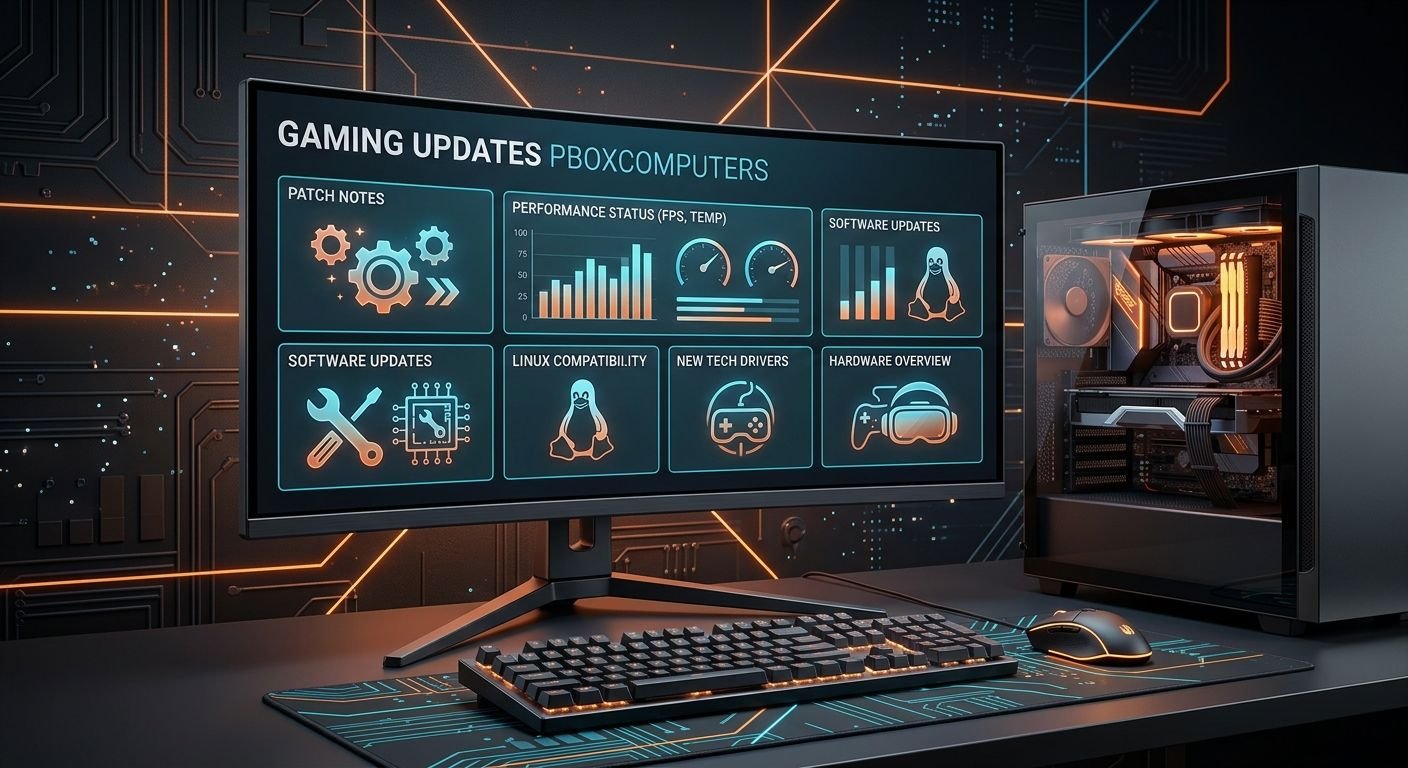
Gaming changes quickly. New game releases, patches, graphics drivers, hardware launches, performance improvements, and platform changes can all affect how players experience their favorite titles. For people searching for Gaming updates pboxcomputers, the main goal is to understand what PBoxComputers covers and how its gaming information can help them keep track of these changes.
PBoxComputers describes itself as a technology and gaming information platform covering gaming news, game releases, software, hardware, and related technology. Its own About page specifically lists gaming updates, release dates, reviews, technology news, and how-to guides among its areas of coverage.
However, gamers should distinguish between information published by PBoxComputers and information confirmed directly by game developers, hardware manufacturers, or platform owners. That distinction becomes especially useful when a patch, product launch, or performance claim could affect a purchasing or gaming decision.
What Are Gaming Updates PBoxComputers?
Gaming updates PBoxComputers refers to gaming-related information published or discussed through PBoxComputers, including game launches, patches, hardware developments, performance changes, software updates, and broader gaming trends.
The platform’s published material shows a broad approach rather than a focus on one particular game. Its website has covered topics involving gaming news, gaming hardware, Linux gaming, game updates, and technology trends.
This means readers may encounter several types of information:
- New game announcements and releases
- Patch and update explanations
- Gaming hardware developments
- Graphics and performance discussions
- PC optimization information
- Linux gaming developments
- Esports and competitive gaming trends
- VR and cloud gaming
- Gaming technology and industry changes
The practical value depends on the individual article. A general gaming-news article may be useful for discovering a development, while an official patch note remains the better source for exact gameplay changes.
What Does PBoxComputers Cover?
PBoxComputers’ own description says its goal is to provide technology and gaming information in an accessible format. It specifically identifies gaming news, upcoming game launches, software, hardware, and how-to content as areas of interest.
Game Releases and Launch Information
Game releases are one of the most useful categories for gamers because release schedules can affect everything from hardware planning to storage requirements.
A gaming update can help readers discover:
- Upcoming games
- Expected release windows
- New expansions
- DLC developments
- Platform availability
- Major updates to existing games
Nevertheless, release dates can change. Developers sometimes delay games to address technical problems or adjust development schedules. Therefore, players should verify important release dates against the game’s official website or publisher announcement before making purchases based solely on a secondary report.
Patch Notes and Gameplay Changes
Game patches can make substantial differences to the player experience.
A patch may address:
- Bugs and crashes
- Gameplay balance
- Character abilities
- Weapon statistics
- Multiplayer issues
- Graphics problems
- Loading performance
- Controller support
- Security vulnerabilities
- Compatibility problems
PBoxComputers has published material describing patch reporting as a way of translating technical changes into information that ordinary players can understand. Its gaming coverage has discussed performance improvements, gameplay adjustments, and compatibility.
However, a simplified explanation should not replace the original patch notes when precise numbers matter. Competitive players, for example, may need exact damage values, cooldown changes, map adjustments, or weapon statistics.
Why Gaming Updates Matter to Players
Gaming updates are not simply about finding out what is new. They can affect performance, compatibility, gameplay, storage, and even purchasing decisions.
For example, a graphics driver update may improve performance in one title but introduce a problem in another. Likewise, a major game patch may add content while increasing storage requirements.
A useful gaming information source therefore needs to answer a more practical question:
What does this update actually change for the player?
That question is more valuable than simply repeating a developer announcement.
Performance
Performance updates can affect frame rates, frame-time consistency, loading behavior, and graphical stability.
For PC gamers, performance is influenced by several factors at once:
- CPU
- GPU
- RAM
- Storage
- Operating system
- Graphics drivers
- Game settings
- Game engine optimization
- Background applications
Consequently, players should avoid assuming that every performance improvement will produce the same result on every computer.
Compatibility
Hardware and software compatibility is another important consideration.
A new game might require a newer version of an operating system, graphics API, graphics driver, or hardware feature. Similarly, an older game may behave differently after a major operating-system or driver update.
PBoxComputers’ coverage connects gaming updates with hardware and system performance, making compatibility a recurring part of its technology-oriented gaming content.
Gaming Hardware Updates
Gaming news increasingly overlaps with PC hardware.
A game may run perfectly on one computer while struggling on another because the systems use different GPUs, CPUs, memory configurations, or storage devices.
Graphics Cards
GPUs remain one of the most important components for modern PC gaming.
Gaming-related hardware coverage can help readers understand:
- GPU generations
- VRAM capacity
- Ray tracing performance
- Upscaling technologies
- Driver improvements
- Power requirements
- Resolution targets
PBoxComputers has published content discussing GPU developments and gaming performance. Its current website also describes hardware analysis and gaming-related technology as part of its coverage.
Still, gamers should look beyond a single benchmark. A GPU that performs well at 4K in one game may have a different result in a CPU-heavy competitive title.
CPUs and Gaming Performance
The CPU becomes particularly important in games with large simulations, numerous characters, complex physics, or high-refresh-rate targets.
For example, someone targeting 240 FPS at 1080p may place different demands on a system than someone playing a visually demanding single-player game at 4K.
Therefore, gaming updates should be interpreted according to the resolution, refresh rate, game engine, and settings being used.
SSDs and Load Times
Solid-state storage has become common in modern gaming PCs and consoles because it can significantly reduce loading times compared with older mechanical hard drives.
However, an SSD does not automatically increase average FPS. Its biggest advantages generally involve storage responsiveness and loading behavior rather than directly increasing graphics performance.
This distinction is easy to overlook when hardware discussions combine every component under the broad label of “gaming performance.”
Linux Gaming and PBoxComputers
Linux gaming is another recurring theme in PBoxComputers-related coverage.
The PBoxComputers site has published articles connecting gaming updates with PlugBoxLinux and discussing Linux gaming, hardware compatibility, and system optimization.
Linux gaming has become increasingly relevant because modern compatibility tools can allow many Windows games to run on Linux without requiring native Linux versions.
However, compatibility varies considerably.
A Linux gamer should check:
- Whether the game supports Linux directly
- Whether it works through a compatibility layer
- Anti-cheat compatibility
- Controller support
- Graphics-driver support
- Multiplayer functionality
- Launcher requirements
This is especially important for competitive multiplayer games. A game may launch successfully while still having limitations involving anti-cheat systems or online functionality.
How to Evaluate a Gaming Update Before Acting on It
Not every gaming update requires immediate action.
A useful approach is to evaluate an update according to its potential impact.
| Update type | Possible impact | What gamers should check |
|---|---|---|
| Game patch | Gameplay, bugs, performance | Official patch notes |
| GPU driver | Performance and stability | Driver release notes |
| New GPU | Graphics performance | Independent benchmarks |
| CPU update | CPU-heavy gaming | Game-specific benchmarks |
| Operating-system update | Compatibility and security | Official OS documentation |
| DLC release | New content | Developer or publisher information |
| Linux compatibility update | Game accessibility | Compatibility reports and anti-cheat status |
| VR update | Hardware and software support | Headset and game requirements |
This approach prevents a common mistake: treating every headline as equally important.
A minor cosmetic patch does not deserve the same attention as a security update or a change that affects competitive balance.
How Gaming Updates Can Help With PC Upgrades
One of the practical benefits of following gaming technology is better upgrade timing.
Suppose a player wants to purchase a new GPU. Instead of buying immediately after seeing a product announcement, the player can compare:
- Current GPU performance
- New GPU benchmarks
- VRAM requirements
- Power consumption
- Current game requirements
- Expected gaming resolution
- Existing CPU limitations
- Price differences between generations
PBoxComputers’ gaming and technology coverage attempts to connect hardware developments with real-world gaming considerations rather than treating hardware as an isolated topic.
That distinction matters because the newest component is not necessarily the best purchase for every gamer.
Gaming Updates and Emerging Technologies
Gaming is also influenced by technologies outside traditional consoles and PCs.
AI-Assisted Graphics
AI-based technologies are increasingly being used for image reconstruction, upscaling, frame generation, and other rendering techniques.
These technologies can improve visual quality or perceived frame rates, but they can also introduce trade-offs such as latency, image artifacts, or inconsistent results depending on the game.
Therefore, gamers should look at native performance and supported rendering technologies separately.
Virtual Reality
VR gaming introduces additional hardware requirements.
A suitable system may need:
- A compatible headset
- Adequate GPU performance
- Sufficient USB or wireless connectivity
- Appropriate tracking hardware
- Compatible software
PBoxComputers has included VR and AR among the gaming technologies discussed in its broader coverage.
Cloud Gaming
Cloud gaming shifts much of the processing workload from the player’s device to remote servers.
That can make high-end gaming accessible on less powerful hardware. However, the experience depends heavily on internet quality, latency, server availability, and the particular service being used.
For competitive gaming, latency can be particularly important.
Gaming Updates PBoxComputers vs Official Sources
PBoxComputers can be useful for discovering and understanding gaming developments, but it should not always be treated as the primary source.
| Information source | Best use |
|---|---|
| PBoxComputers | Discovering gaming and technology topics |
| Game developer | Exact patch notes and game changes |
| Hardware manufacturer | Driver and product information |
| Console manufacturer | System updates and compatibility |
| Independent benchmark site | Hardware performance comparisons |
| Community forums | User experiences and troubleshooting |
| Official Linux documentation | Linux compatibility and system configuration |
The strongest research method is to combine sources.
For example, a PBoxComputers article might alert a player to a new GPU driver. The player can then check the manufacturer’s release notes and compare independent benchmarks before installing it.
Common Mistakes Gamers Make When Following Updates
Following gaming news is useful, but poor interpretation can lead to unnecessary upgrades or incorrect expectations.
Mistake 1: Assuming Every Patch Improves Performance
A patch may fix bugs while also introducing new problems. Game development is complex, and an update does not guarantee higher FPS.
Mistake 2: Buying Hardware Based on Headlines
A new GPU announcement does not automatically mean an existing GPU has become obsolete.
Actual performance differences depend on resolution, settings, games, and prices.
Mistake 3: Ignoring Official Sources
Secondary gaming articles are useful for explanations, but official documentation is generally more appropriate for exact technical specifications.
Mistake 4: Confusing Frame Rate With Frame-Time Stability
A system averaging 100 FPS can still feel less consistent than one maintaining a stable frame-time pattern.
For competitive players, smoothness can matter just as much as the headline FPS number.
Mistake 5: Updating Everything at Once
Installing a game patch, GPU driver, operating-system update, BIOS update, and several utilities simultaneously makes troubleshooting harder.
When something goes wrong, it becomes difficult to identify the cause.
What PBoxComputers Can Offer Gamers That Generic News Does Not
The most useful aspect of PBoxComputers-style gaming coverage is the connection between gaming news and computing.
Instead of viewing a game release separately from hardware, software, and operating systems, readers can consider the wider picture.
For example, a new AAA game can raise several practical questions:
- What hardware does it require?
- Is the recommended GPU actually sufficient for the desired resolution?
- Does the game support upscaling?
- How much storage does it need?
- Does the latest driver improve performance?
- Does it work on Linux?
- Are there known launch problems?
- Is an upgrade actually necessary?
This broader perspective can help gamers make more informed decisions.
What Competitors Often Miss About Gaming Updates
A gaming update is rarely useful simply because it is new. Its real value comes from context.
One overlooked issue is the difference between announcement, release, and verified real-world performance.
A developer may announce a feature months before release. A game may launch with a particular feature but receive changes shortly afterward. Similarly, a hardware manufacturer may publish theoretical specifications that do not translate directly into equivalent gaming performance.
Therefore, gamers should separate information into three stages:
1. What was announced
This tells you what developers or manufacturers intend to deliver.
2. What was actually released
This confirms what users can access.
3. What independent testing shows
This provides practical evidence of performance and limitations.
This three-stage approach is particularly useful when reading Gaming updates PBoxComputers or any other secondary gaming source.
How to Stay Updated Without Following Every Gaming Headline
Gamers do not need to monitor every announcement.
A better strategy is to focus on information relevant to the games and hardware they actually use.
For a PC gamer, that might mean monitoring:
- Favorite game patch notes
- GPU driver releases
- Major hardware launches
- Operating-system compatibility
- Security updates
- Game-specific performance reports
For a console player, the priorities may instead include:
- Console system updates
- Game patches
- New releases
- DLC
- Online-service changes
- Storage requirements
This selective approach saves time while still keeping players informed.
Frequently Asked Questions
What is Gaming Updates PBoxComputers?
Gaming updates PBoxComputers refers to gaming-related content associated with PBoxComputers, including game releases, patches, hardware developments, performance information, and technology trends. PBoxComputers describes gaming updates as one of its main areas of coverage.
Does PBoxComputers only cover PC gaming?
No. Its published material covers broader gaming and technology subjects, including game releases, gaming hardware, Linux gaming, VR, software, and industry trends. However, PC hardware and system performance are particularly prominent themes across its technology-oriented gaming coverage.
Are PBoxComputers gaming updates official patch notes?
Not necessarily. PBoxComputers can summarize or explain gaming developments, but official patch notes published by the game’s developer or publisher remain the best source for exact changes. Readers should use both sources when precise gameplay or technical information matters.
Why should gamers follow hardware updates?
Hardware updates can affect game performance, compatibility, graphics quality, and upgrade decisions. However, gamers should compare actual benchmarks and their own requirements rather than assuming that every new component will provide a major improvement.
Does PBoxComputers cover Linux gaming?
Yes. PBoxComputers has published gaming content involving PlugBoxLinux and Linux gaming, including discussions of compatibility, hardware, and system optimization.
Can a gaming update make a game run worse?
Yes. Although developers often release patches to fix problems or improve performance, software changes can sometimes introduce new bugs, compatibility problems, or performance regressions. Players experiencing problems should check the developer’s patch notes and known-issues information before changing multiple system components.
Should I upgrade my PC because of a new game?
Not automatically. First compare the game’s minimum and recommended requirements with your current system, then consider actual benchmarks at your target resolution and settings. An upgrade makes more sense when your existing hardware consistently prevents you from achieving the performance you want.
Final Takeaway
Gaming updates PBoxComputers can be useful for keeping track of developments across games, hardware, software, Linux gaming, and emerging technologies. PBoxComputers itself describes its platform as a source for gaming news, upcoming releases, technology insights, and how-to information.
The most effective way to use this information is to treat it as part of a wider research process. Use gaming coverage to discover important developments, then verify critical details through official developers, manufacturers, platform providers, and independent testing.
For gamers, that approach provides something more valuable than simply knowing what is new: it helps determine what actually matters for the games, hardware, and gaming setup they use.


Bitcoin ETFs in Focus: What September Means for Investors

Why Bank Stocks Are Rising: What Investors Should Know

Galaxy Z Fold 8 vs Other Foldable Phones: What is Difference?
-

 Entertainment9 years ago
The final 6 ‘Game of Thrones’ episodes might feel like a full season
-

 lifestyle6 months ago
Creative Conference Room Ideas to Enhance Productivity and Collaboration in 2026
-
Fashion9 years ago
According to Dior Couture, this taboo fashion accessory is back
-
Entertainment9 years ago
The old and New Edition cast comes together to perform
-
Business9 years ago
The 9 worst mistakes you can ever make at work
-
Business9 years ago
Uber and Lyft are finally available in all of New York State
-
Entertainment9 years ago
Disney’s live-action Aladdin finally finds its stars
-
Sports9 years ago
Steph Curry finally got the contract he deserves from the Warriors